
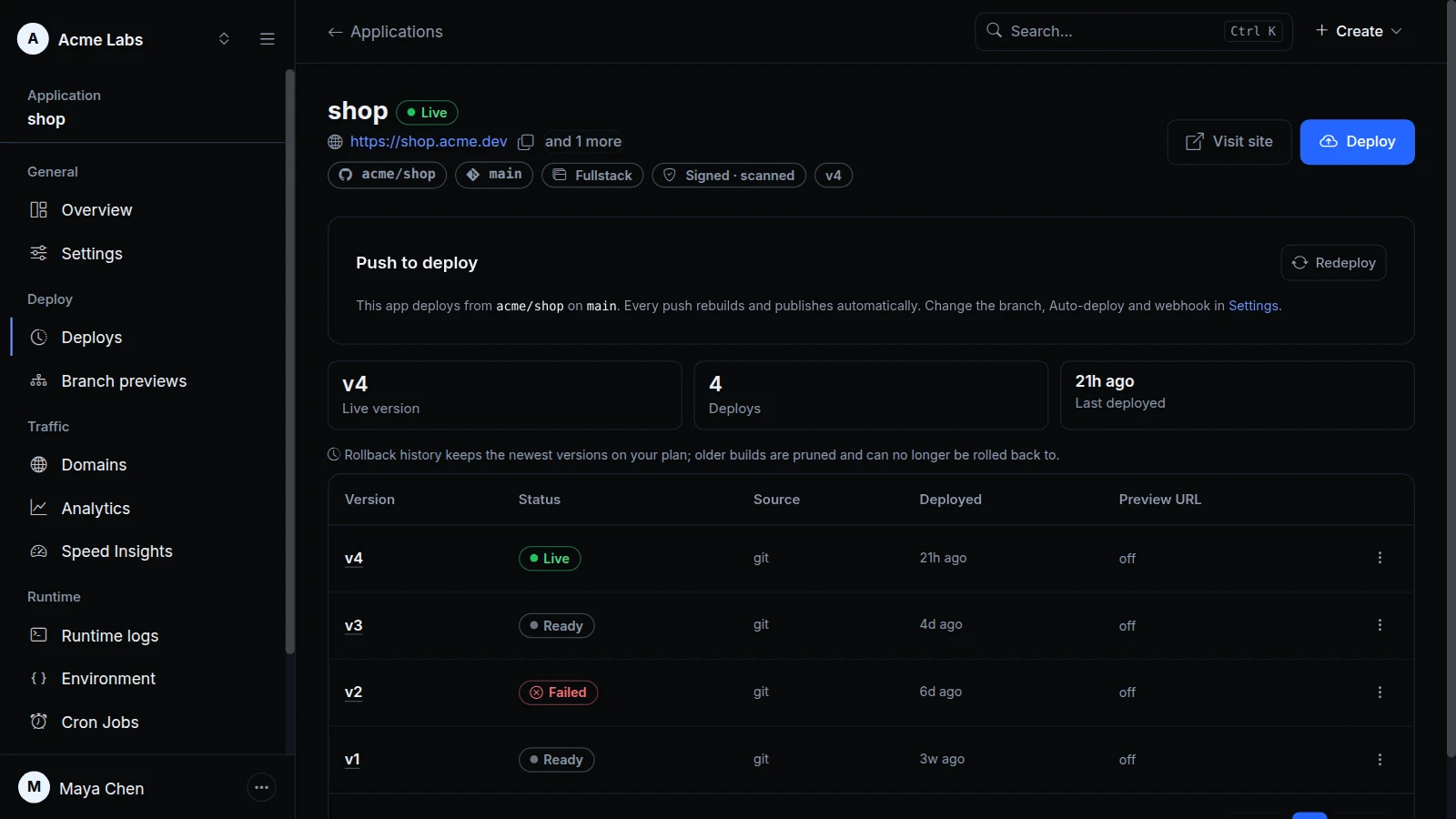
An endpoint's settings, an application and a database each kept everything behind a row of tabs on one page. The row grew with every feature, and a tab had no address of its own to bookmark or send to a teammate.
Now each of those tabs is a page. When you open an endpoint's settings, an app or a database, the menu on the left becomes that resource's own menu: its pages in groups, under its name. Above is the app shop's Deploys page, in the Deploy group.
What changed
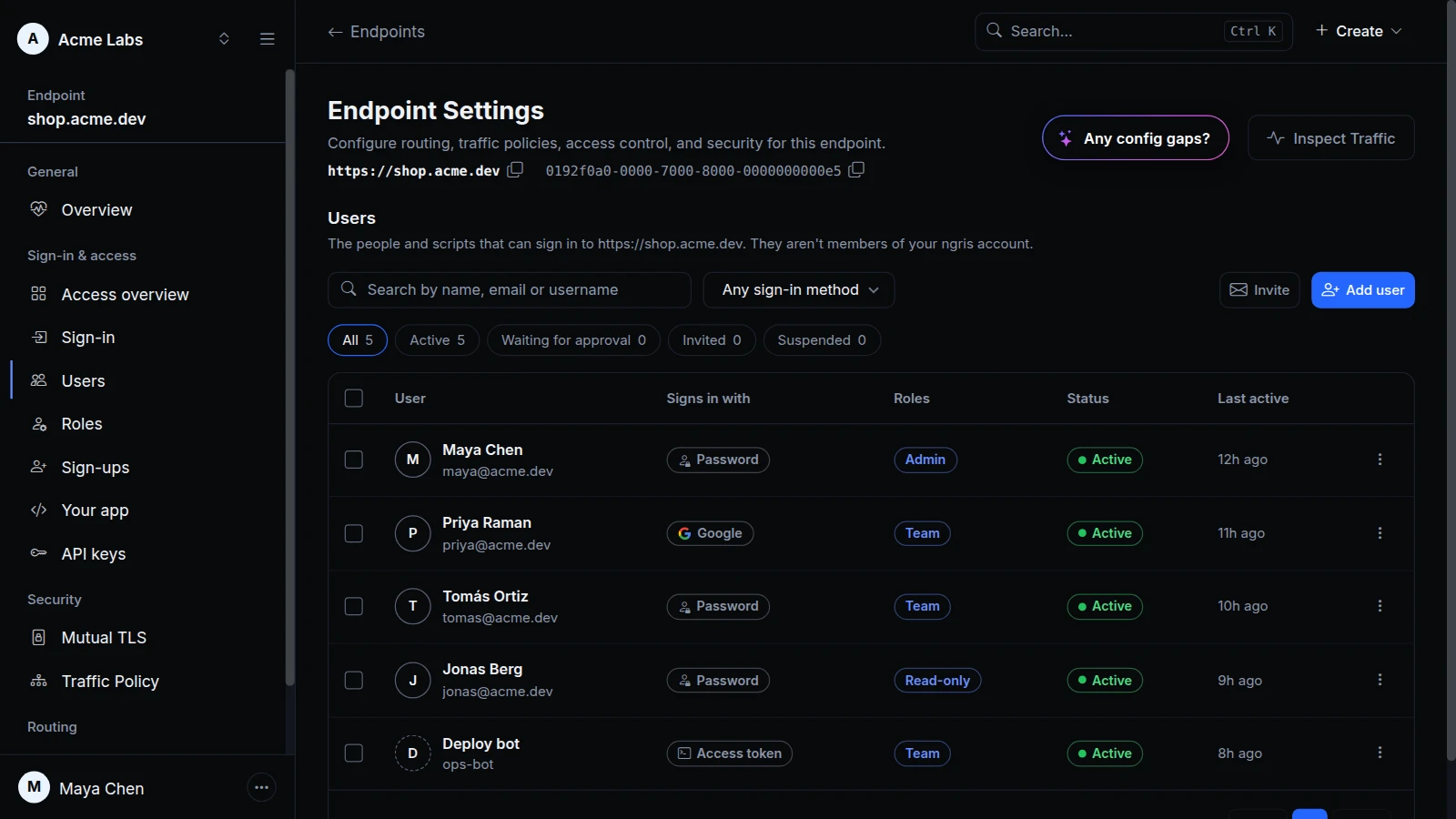
- A menu for each resource. An endpoint's settings, an app and a database list their pages in groups, under the resource's name. An app shows only the pages its type and plan have, as its tabs did.
- An address for each page. For example
/account/endpoints/<id>/settings/mtlsor/account/applications/<id>/environment. Bookmark a page, send it to a teammate, or use the browser's back button. The browser tab names the page: "Mutual TLS · shop.acme.dev". - Back to the list. The link at the top returns to Endpoints, Applications or Databases, and the main menu comes back.
- Unsaved changes. Leaving a page with unsaved changes asks first, from the menu too.
- Old links keep working. A link to a tab opens its page.
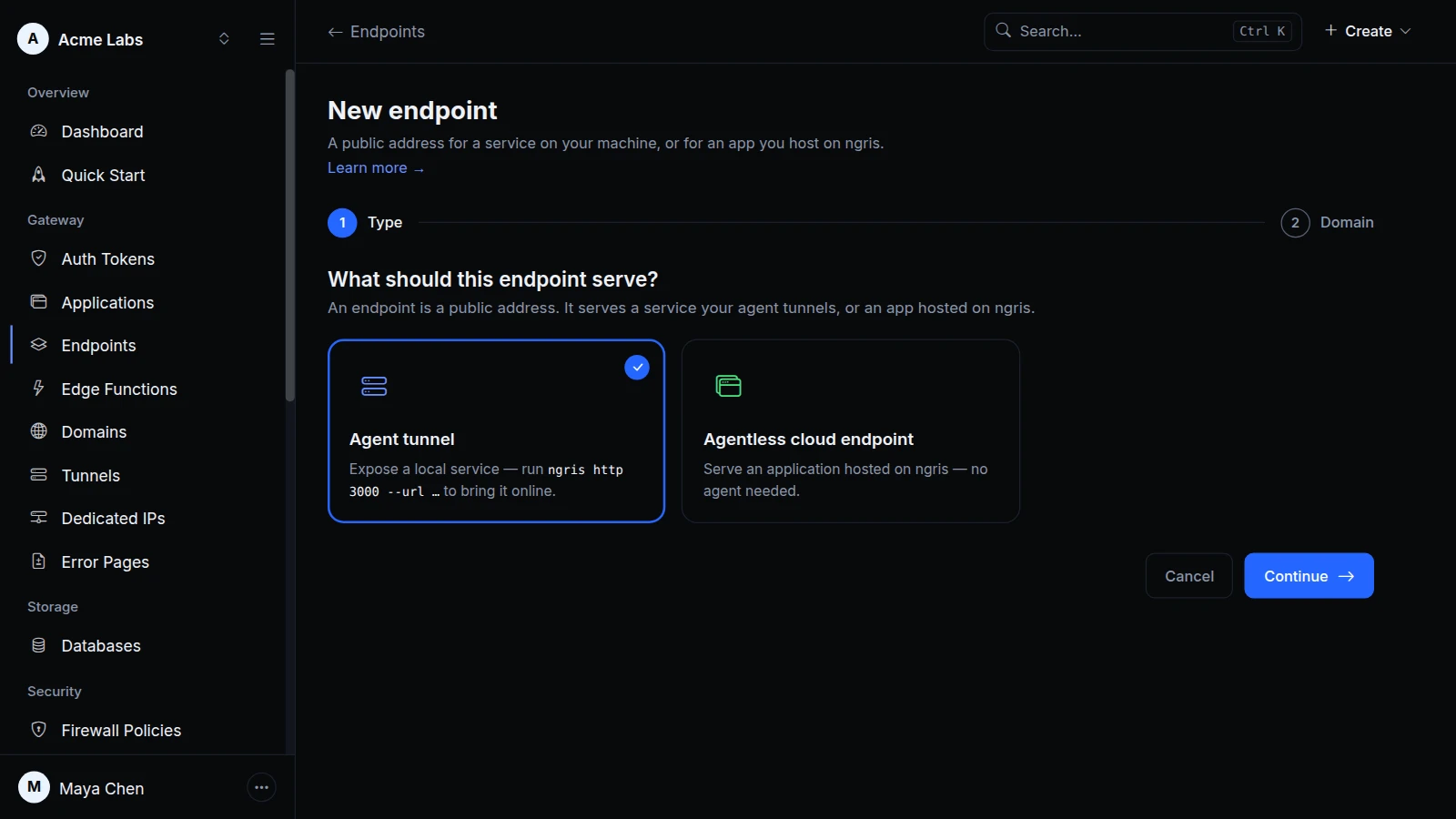
- New endpoint is a full page, like New domain and New application: pick the type, the app for an app endpoint, then the domain and the name. An app's Add endpoint opens it on the last step with that app chosen, and Cancel returns to the app.
Get started
- Open Endpoints, pick an endpoint and open its settings: its pages are in the menu on the left.
- Open Applications or Databases and pick one: the same.
- To add an endpoint, click New Endpoint on the Endpoints page, or Create › Endpoint at the top.
- Read the docs: Create an endpoint.