
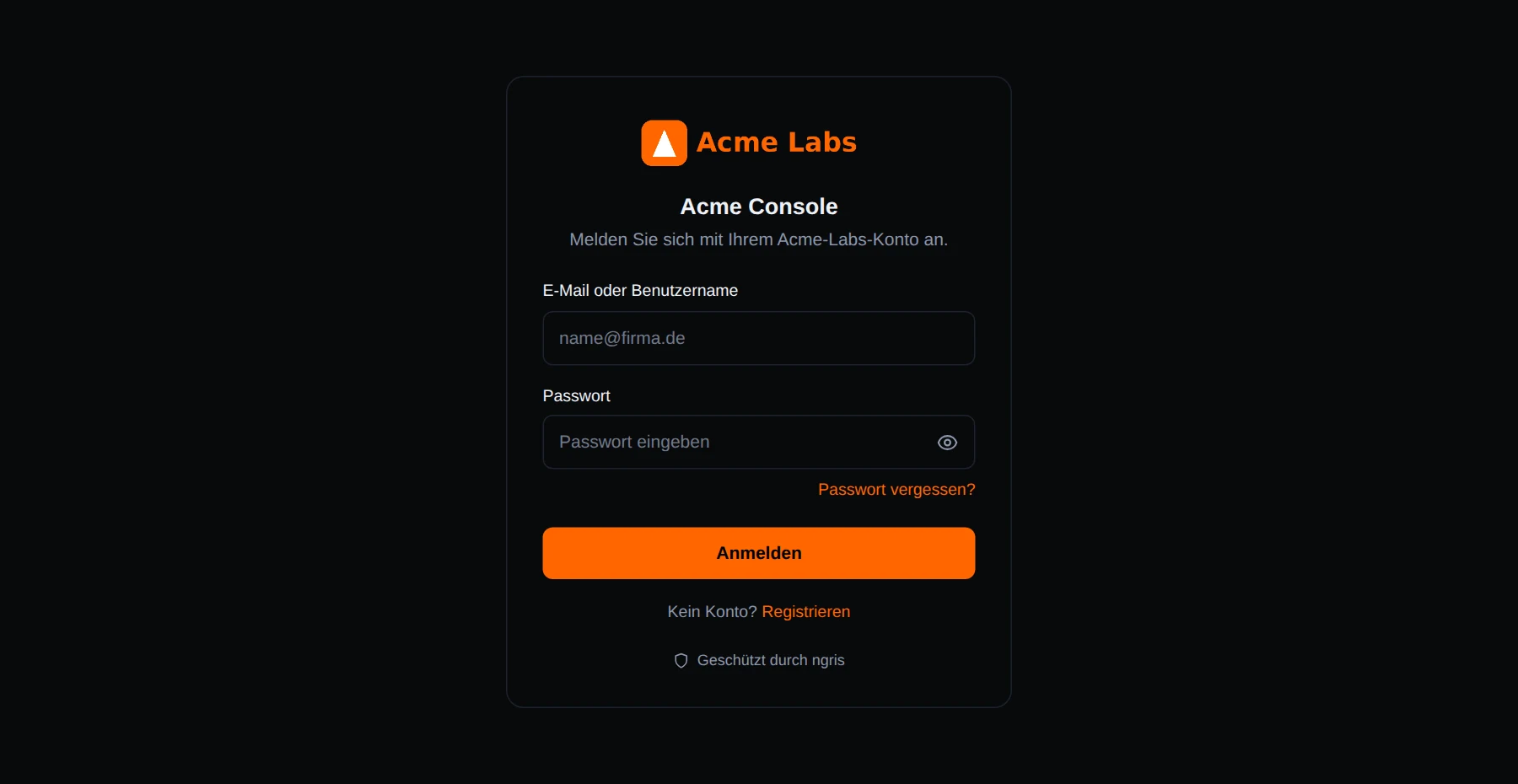
When an endpoint asks its users to sign in, ngris hosts the pages they see: sign-in, sign-up, forgot password and the account page. Until now those pages were in English, whoever your users were.
Now they can be in your users' language. Above is Acme Labs' console for a visitor whose browser asks for German: every word on the page is German, and the message under the title is the one Acme wrote for its German visitors.
What changed
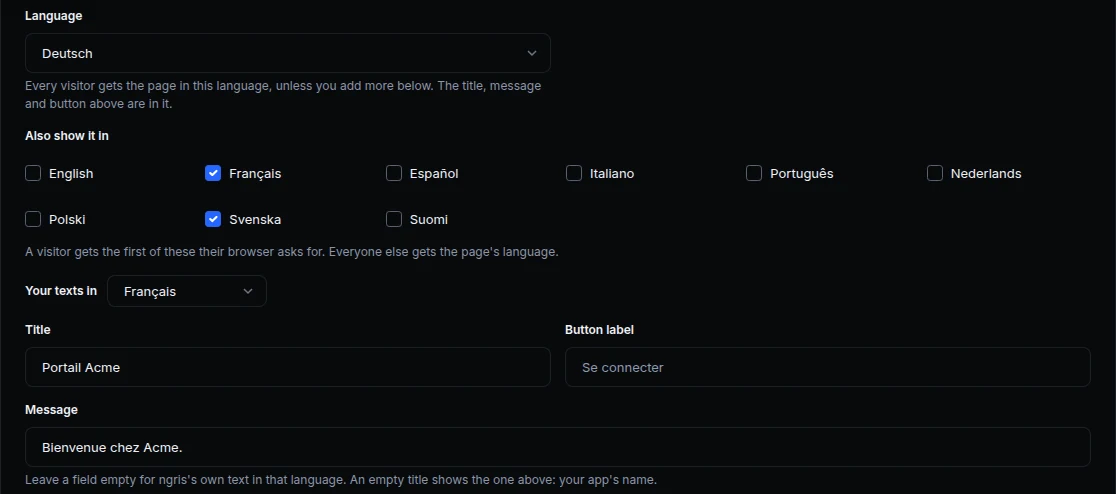
- Ten languages. English, Deutsch, Français, Español, Italiano, Português, Nederlands, Polski, Svenska and Suomi.
- Each visitor's own language. A visitor gets the first of your languages their browser asks for. Everyone else gets the page's language.
- Your texts in each language. Write your title, message and button for a language, or leave them to ngris's own text in it. Your title, your app's name, shows in every language you don't give another one.
- Every page. Sign-in, sign-up, forgot and reset password, invites and email confirmation, the passkey and authenticator app pages and the account page, with their messages and password rules.
- Nothing changes until you choose. An endpoint keeps its pages as they are until you pick a language.
- From the API too.
language,languagesandtextsare part of the endpoint's sign-in settings.
Get started
- Open the endpoint's Sign-in & access tab and find the Sign-in page card.
- Choose the page's Language.
- Tick the other languages your visitors can get under Also show it in.
- To use your own words, pick a language under Your texts in, write your title, message or button, and click Save.
- Read the docs: Your sign-in page.