
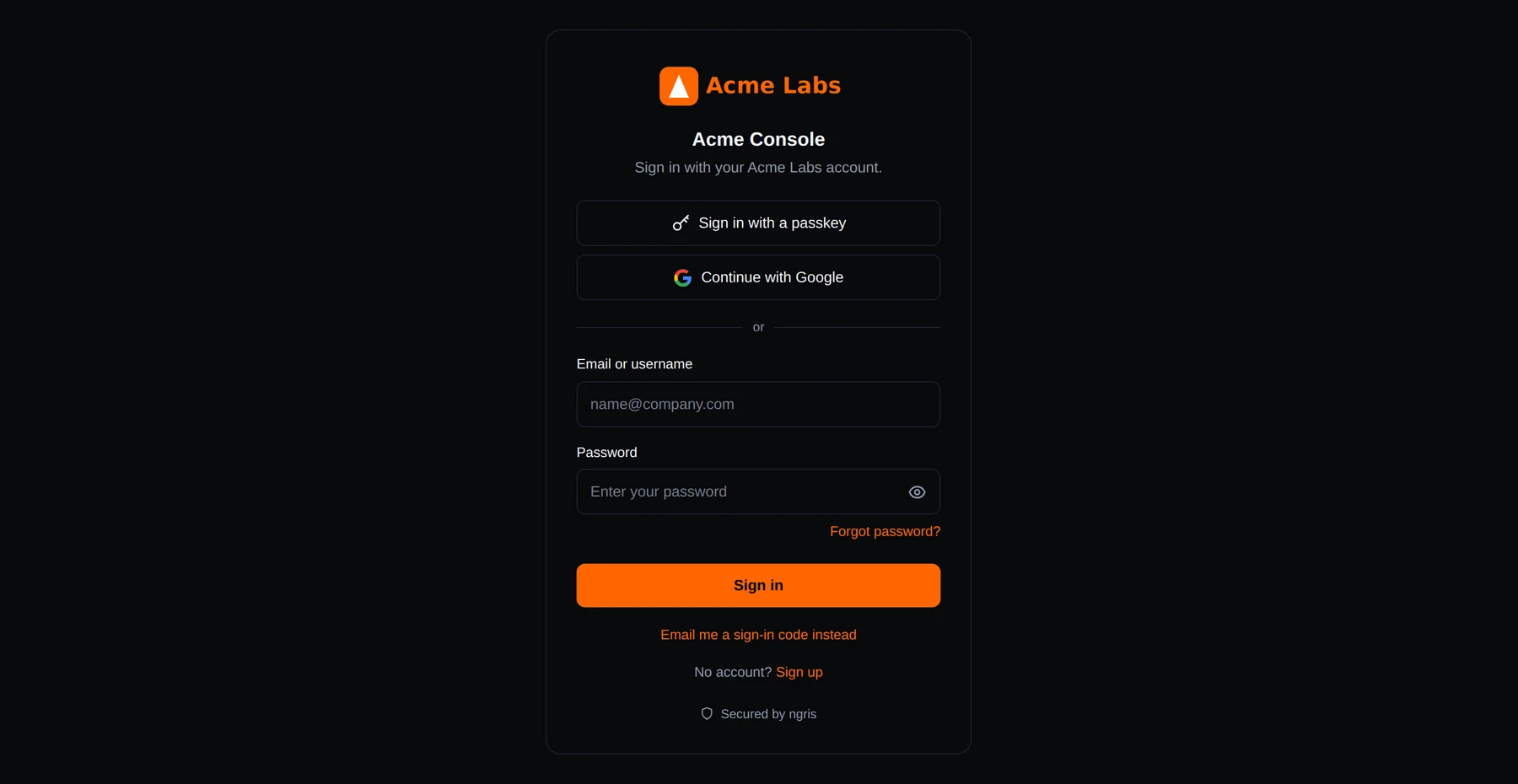
When an endpoint asks its users to sign in, ngris hosts the sign-in page. Until now a user typed a password there, or continued with Google, GitHub or another provider.
Now the page can offer two ways in without a password. Above is Acme Labs' console with both: Sign in with a passkey at the top, and Email me a sign-in code instead under the password.
What changed
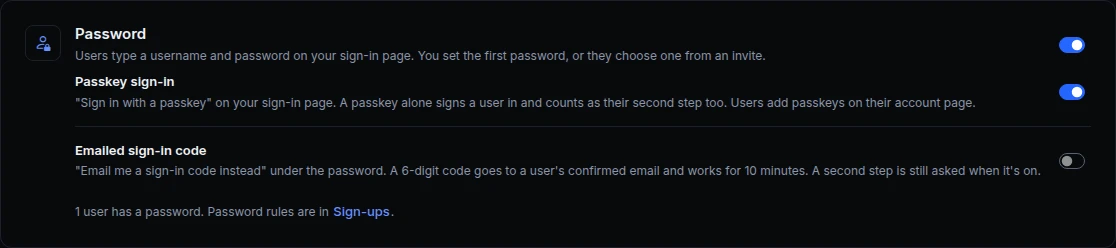
- Passkey sign-in. Your users sign in with Face ID, Touch ID, Windows Hello, their phone or a security key's PIN. A passkey alone signs them in and counts as their second step, so your app's token says
mfa: passkey. Users add passkeys on their account page. - A code by email. A user types their email, and if it's a user's confirmed address, ngris emails a 6-digit code that works once, for 10 minutes. The page says the same for every address, so nobody learns who has an account. Users without a password can sign in this way too.
- Your second step still applies. After a code, a user who has a second step, or everyone while you require one, still passes it.
- Users your company's sign-in runs stay with it. Users who sign in with a SAML IdP or a provider that manages passwords, and the users the agent makes, keep signing in as before.
- Off until you turn them on. Both are switches next to the password, and switching one off signs out the browsers that signed in with it.
- From the API too.
passkey_sign_inandemail_code_sign_inare part of the endpoint's sign-in settings.
Get started
- Open the endpoint's Sign-in & access tab and find the Password card.
- Turn on Passkey sign-in, Emailed sign-in code, or both, and click Save.
- Read the docs: Passkey sign-in and emailed codes.