
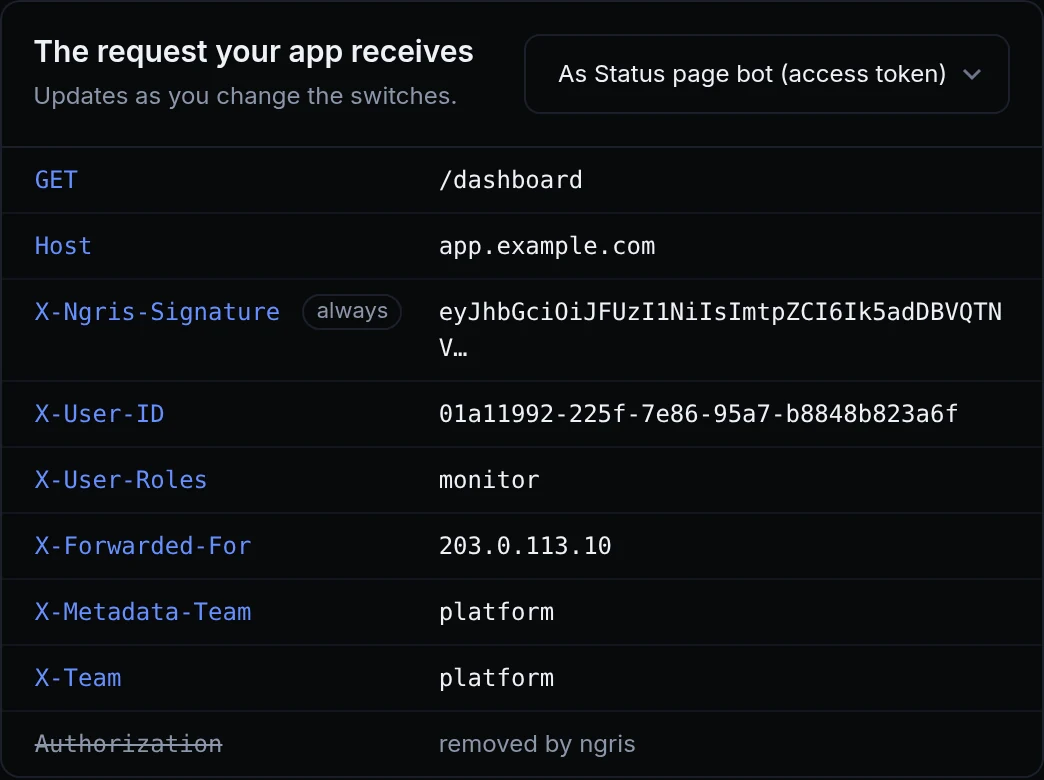
When a script called your app with an access token, or a partner with an API key, ngris checked the credential and passed it on as it came. Your app got a secret it didn't need, one that could end up in its logs. And for an API key, your app couldn't tell which key had called.
Now ngris removes the credential it checked, and the signed X-Ngris-Signature token says who called. Above is the request Acme Labs' console gets from its status page bot: the bot's access token is gone, and the token and headers name the bot.
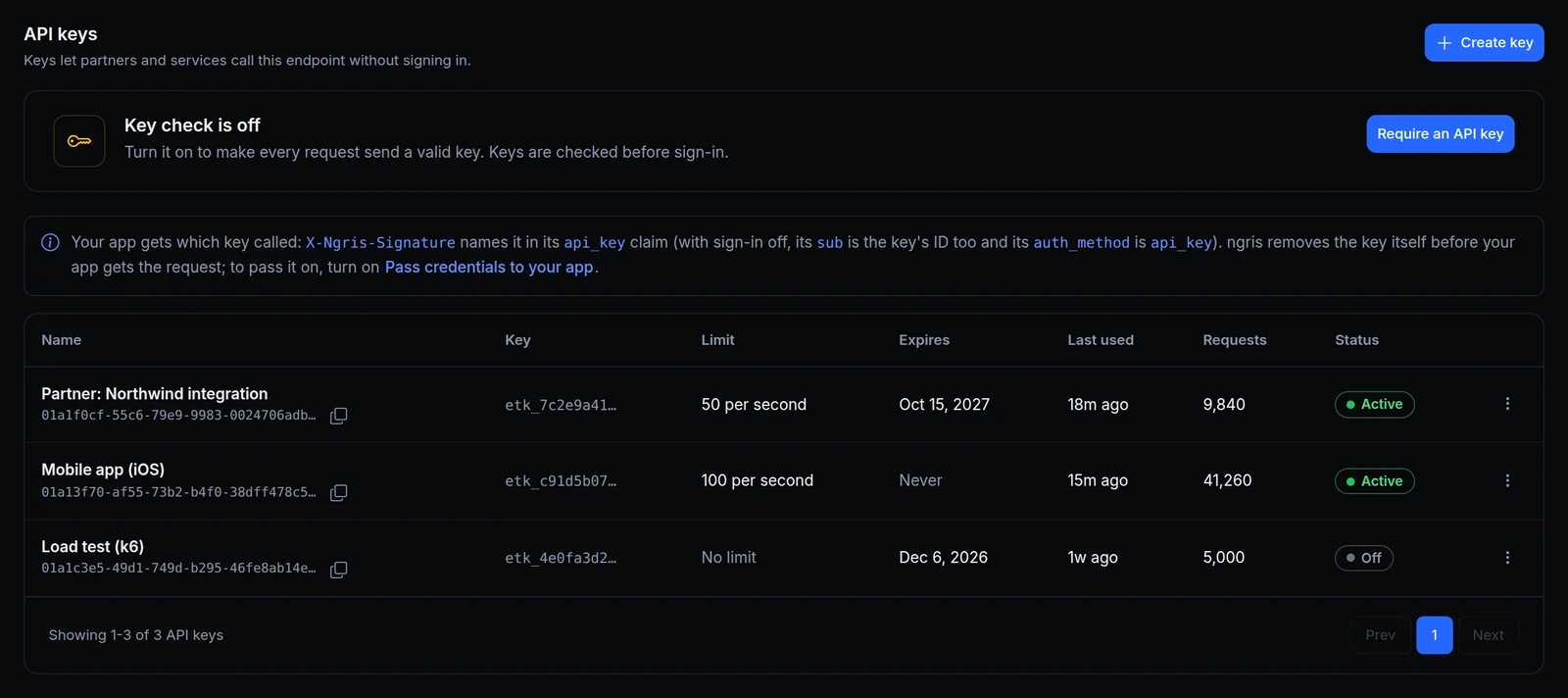
The public API has no sign-in, so a request the Northwind key let in carries this in its token:
{
  "sub": "01a1f0cf-55c6-79e9-9983-0024706adb07",
  "auth_method": "api_key",
  "api_key": {
    "id": "01a1f0cf-55c6-79e9-9983-0024706adb07",
    "name": "Partner: Northwind integration"
  }
}
What changed
- The credential stays at the edge. A password or access token sent in
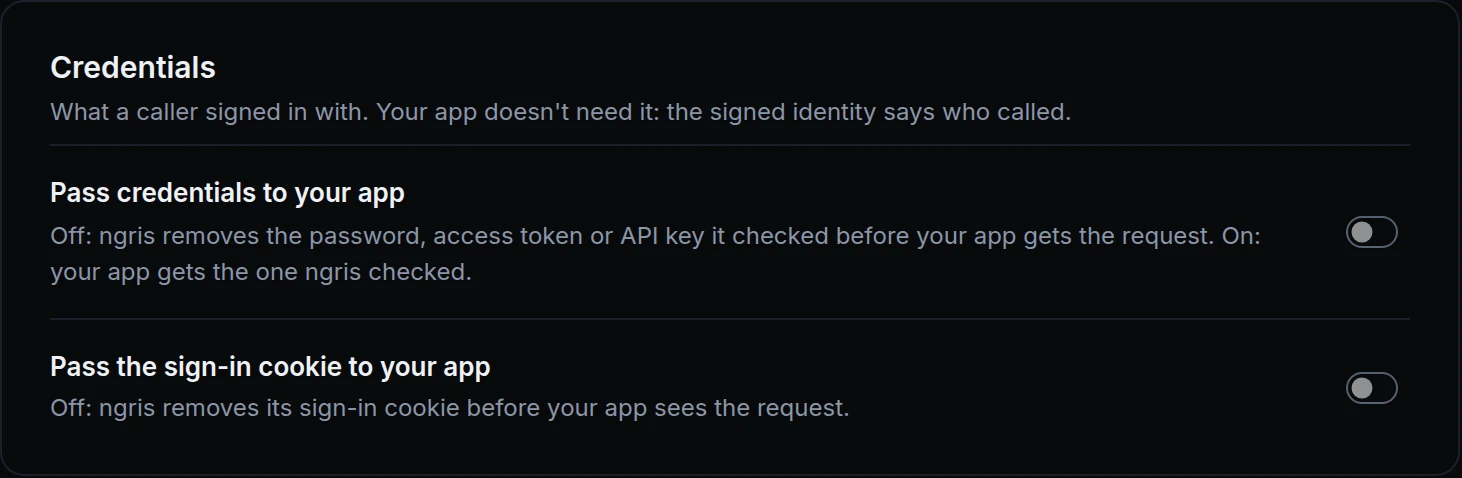
AuthorizationorX-Tunnel-Token, and an API key from the header, query parameter or cookie the key check reads, are removed before the request reaches your app. The rest of the request arrives as sent. - Pass credentials to your app. A switch in Your app, off unless you turn it on, for an app that still reads the credential.
- Which key called. The signed token has an
api_keyclaim with the key'sidandname. With sign-in off, the token'ssubis the key's ID and itsauth_methodisapi_key. - A new key has a new ID. When you replace a partner's key, map the new ID to them.
Get started
- Open the endpoint's Sign-in & access tab, then Your app.
- Under The request your app receives, pick a user to see what your app gets from them.
- Leave Pass credentials to your app off, unless your app checks the credential itself.
- In your app, verify
X-Ngris-Signatureand read who called from it:api_key.idnames the key. - Read the docs: Passwords, tokens and keys and The signed token.