
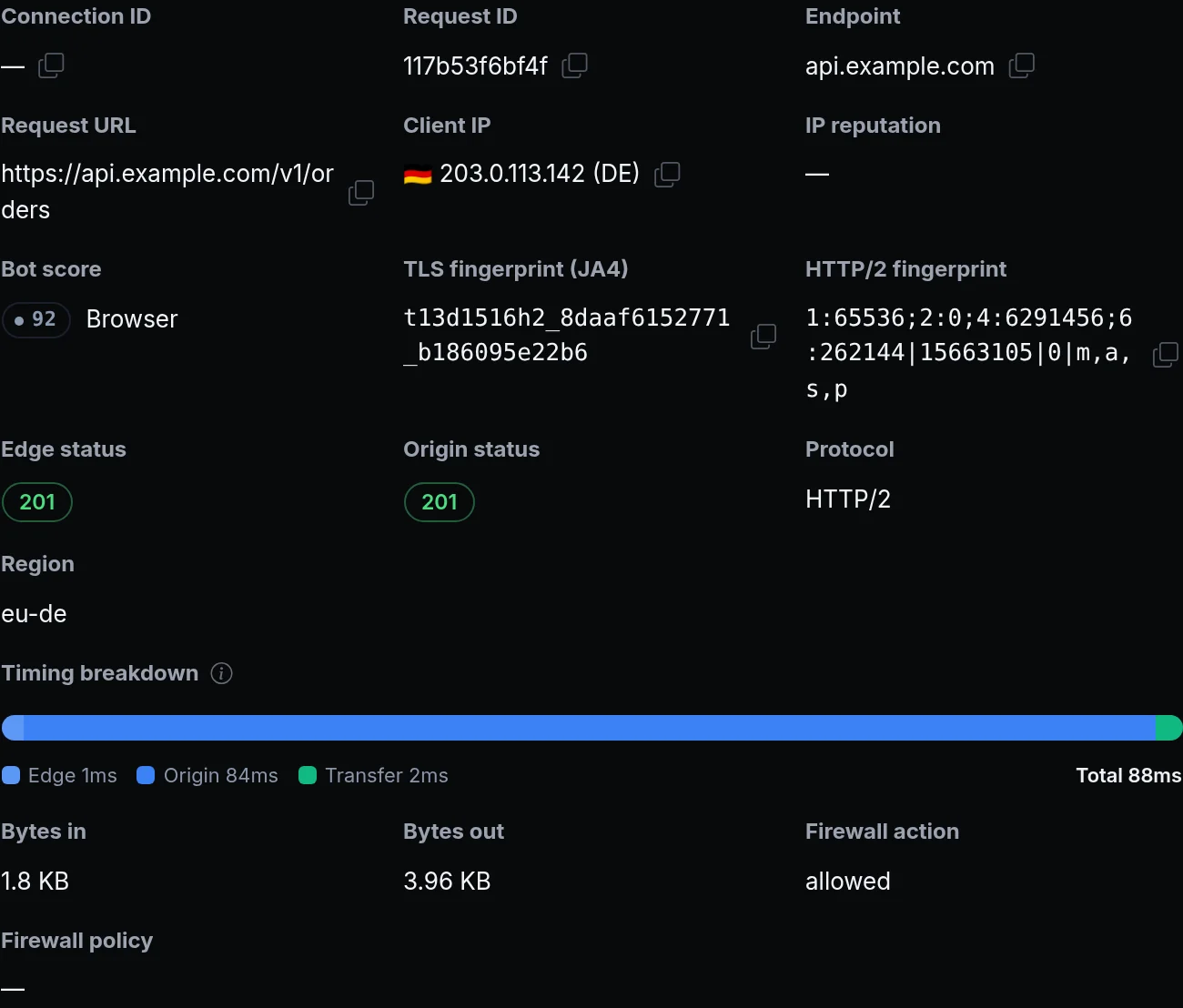
A scripted client can copy a browser's user agent, but its TLS and HTTP/2 handshakes still give it away. The edge already worked out each client's TLS fingerprint, JA4, and showed it in the Traffic Inspector. A client's HTTP/2 settings and first frames are just as telling, and you couldn't see them or write a rule on them.
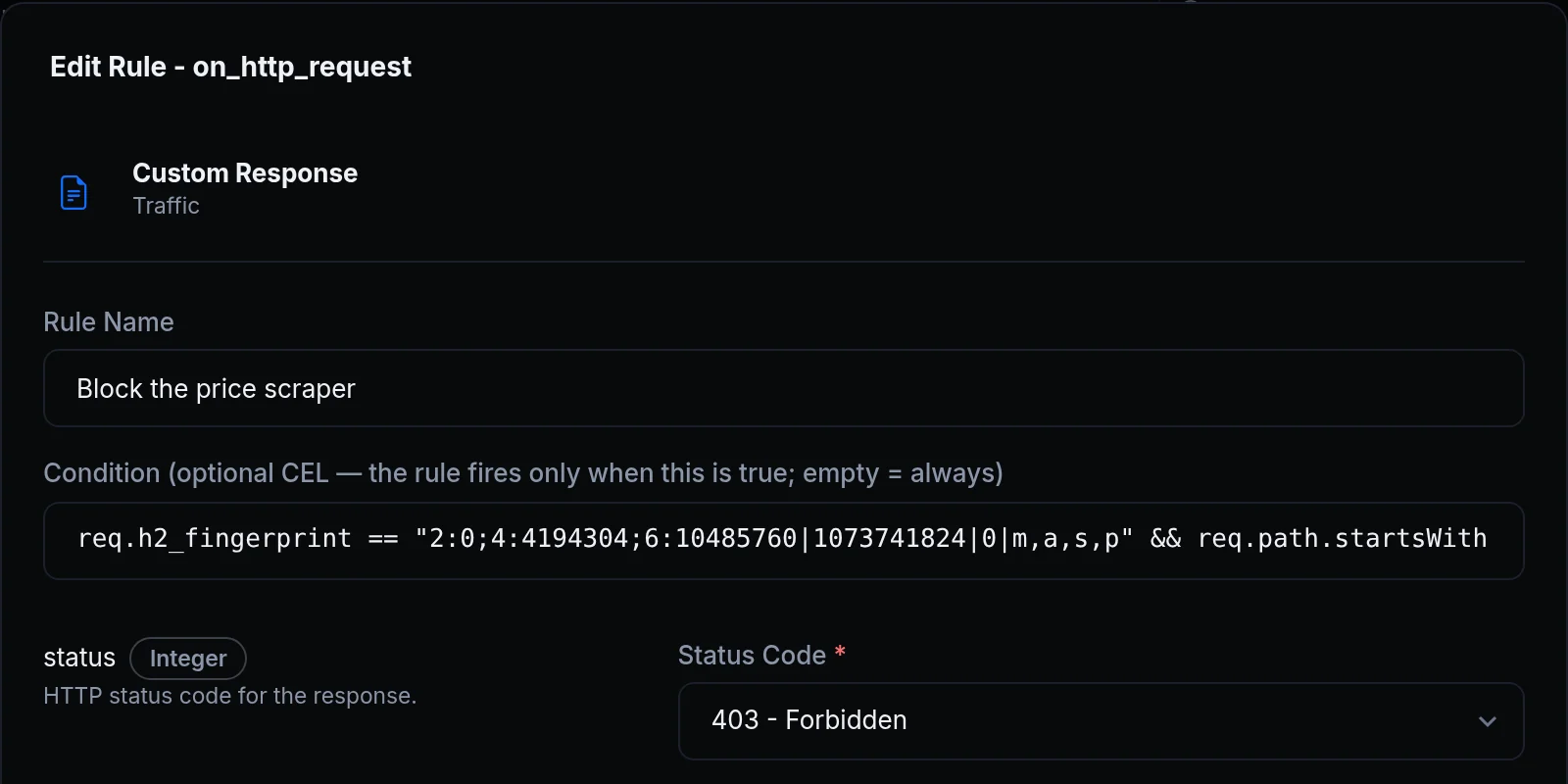
Now the Traffic Inspector shows each HTTP/2 request's fingerprint, and any traffic rule can match it. Above, Acme Labs blocks the client that copies its product prices: it sends a browser's user agent, but its HTTP/2 fingerprint gives it away, and one Custom Response rule answers it 403 on the product pages.
What changed
- In the Traffic Inspector. A request that came over HTTP/2 shows its HTTP/2 fingerprint next to its TLS fingerprint (JA4), with a copy button.
- In every rule. A rule's condition, and any
${...}value, can readreq.h2_fingerprint,req.ja4andconn.ja3. Over HTTP/1.1 and HTTP/3 a request has no HTTP/2 fingerprint, andreq.h2_fingerprintis empty. - A JA4 over HTTP/3 too. A request over HTTP/3 now shows its TLS fingerprint (JA4) as well. It starts with
q, for QUIC, where a JA4 over HTTP/1.1 or HTTP/2 starts witht, and a Bot Management rule checks it against its JA4 lists. - With Bot Management. The fingerprints come with the Bot Management feature, the same one as the Bot Management rule.
Get started
- Open the Traffic Inspector, click a request that came over HTTP/2, and copy its HTTP/2 fingerprint.
- Open the endpoint's Traffic Policy tab and click Add Rule next to
on_http_request. - Choose a rule, for example Custom Response with status 403, and set its Condition:
req.h2_fingerprint == "<the fingerprint>". - Add
&& req.path.startsWith("/v1/products")to keep it to the pages that client scrapes. - Read the docs: Fingerprints in any rule.