
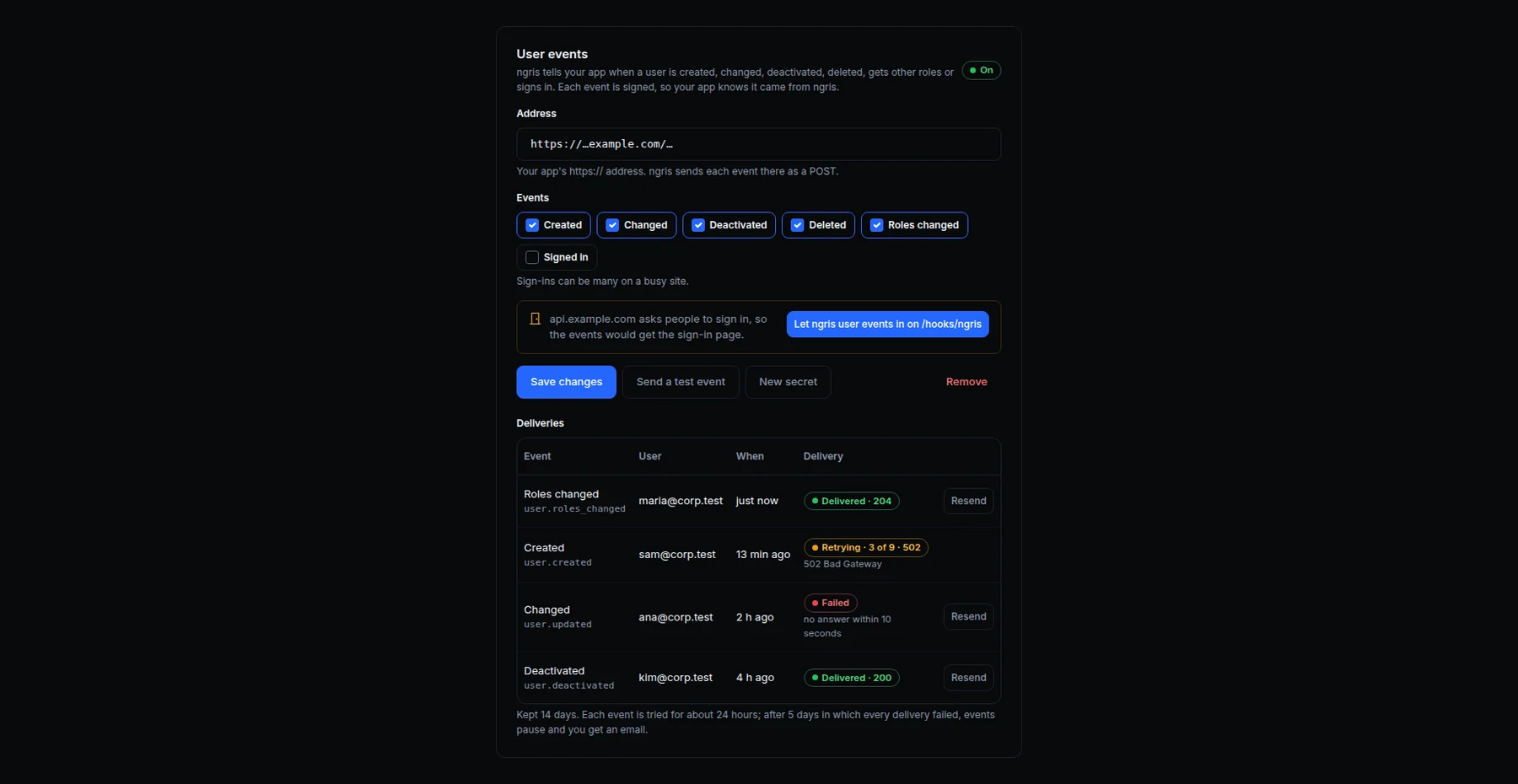
When an endpoint asks people to sign in, ngris keeps its users: the people you add, invite or let sign up. Until now your app heard about a change only when that user next made a request.
Now ngris tells your app as it happens. Above is the User events card of Acme Labs' endpoint: the address, the events it sends, and the latest deliveries with what the app answered.
What changed
- Six events.
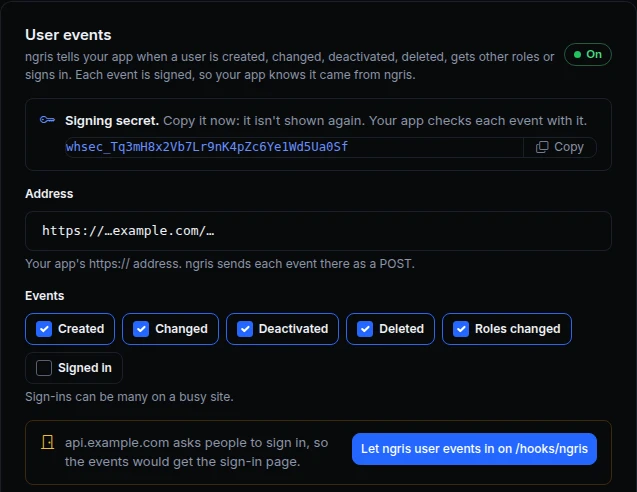
user.created,user.updated(with what changed, from and to),user.deactivated,user.deleted,user.roles_changed(the roles added and removed), anduser.signed_inwhen you tick it. - Signed, in a standard format. Every event comes in the Standard Webhooks format, so a ready library in your language checks it. The signing secret is shown once; a new secret works next to the old one for a day.
- The user as they are now. Email, name, status, roles and your custom fields, never a password, a code or a session.
- Behind your own sign-in. When your app sits behind the same endpoint, one click lets only these events through on their path: ngris checks each signature first, and everyone else there still signs in.
- Retried, then paused. A failed delivery is tried again for about a day. After 5 days in which every delivery failed, the events pause and you get an email; turn them back on and what waited is sent.
- A log with Resend. Each event, its user and your app's answer, kept 14 days, with Resend and a test event.
- From the API, CLI and MCP too.
/v1/endpoints/{uuid}/user-events,ngris api endpoint-user-events, and the MCP endpoint tools.
Get started
- Open the endpoint's Sign-in & access tab, section Your app, and find User events.
- Type your app's address, pick the events, and click Turn on user events. Copy the signing secret.
- Read the docs: User events.