
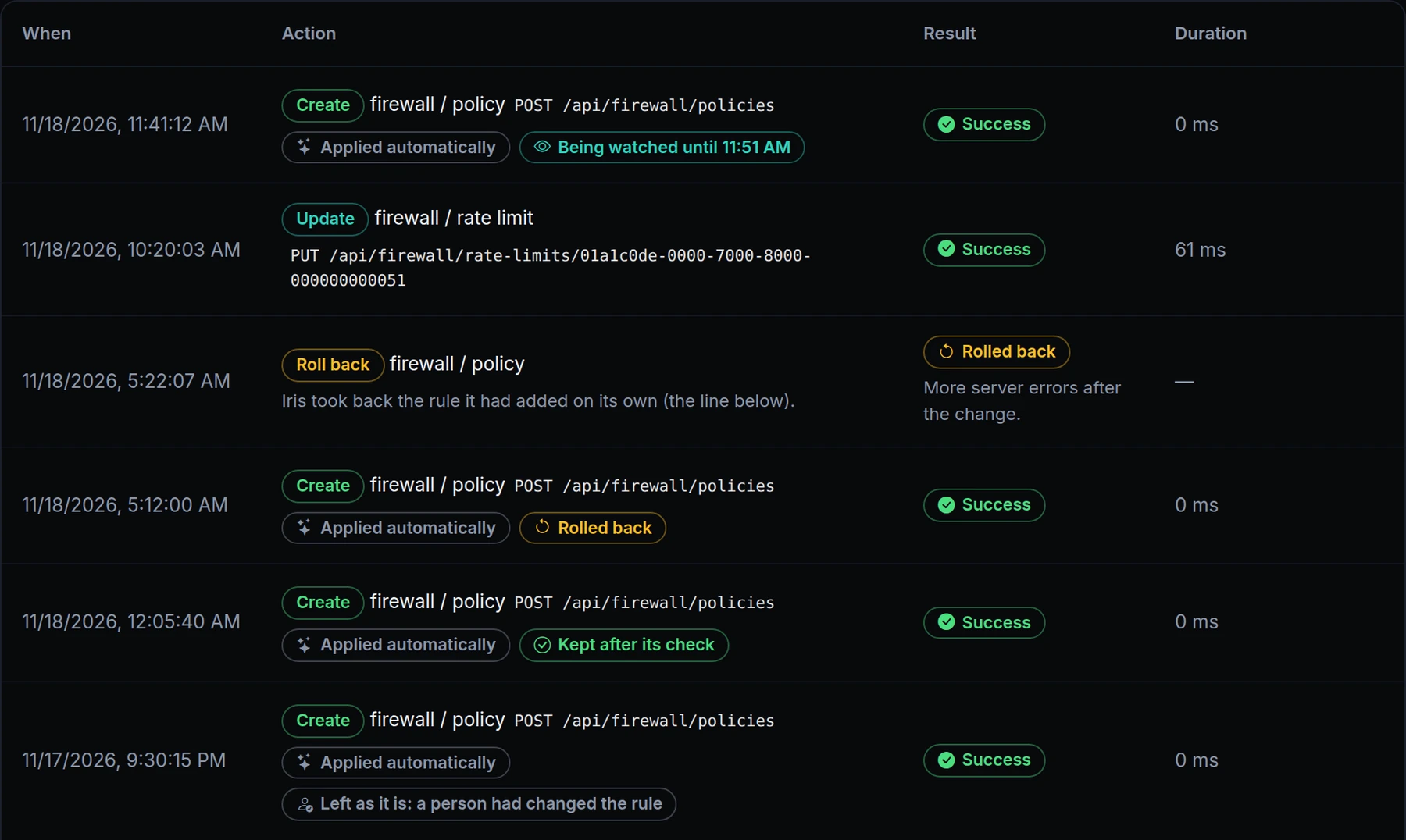
When you let Iris add firewall rules on its own, it watches your traffic after each one and takes the rule back if the traffic got worse. Until now you couldn't see that it had: in the activity list an automatic change looked like one a person had confirmed, and a roll-back wasn't in the list at all.
Now the list says both. Above is Acme Labs' account. Iris added four firewall rules on its own: one is still being watched, one was kept after its check, one was rolled back, and one was left as it is because a person had changed it since. The roll-back is a line of its own, with the reason.
What changed
- Applied automatically. A change Iris made on its own carries this mark in AI Usage & Activity, with what became of it: being watched, kept after its check, rolled back, or left as it is.
- A roll-back is a line of its own. It sits directly above the change it took back and gives the reason: more server errors, many more requests blocked, or much slower answers after the change.
- A person's change is never undone. When someone has changed the rule since Iris added it, Iris leaves the rule as it is and says so.
- A card on your dashboard. Each roll-back raises a card, "Iris took back a firewall rule it had added". Click it to ask Iris what happened.
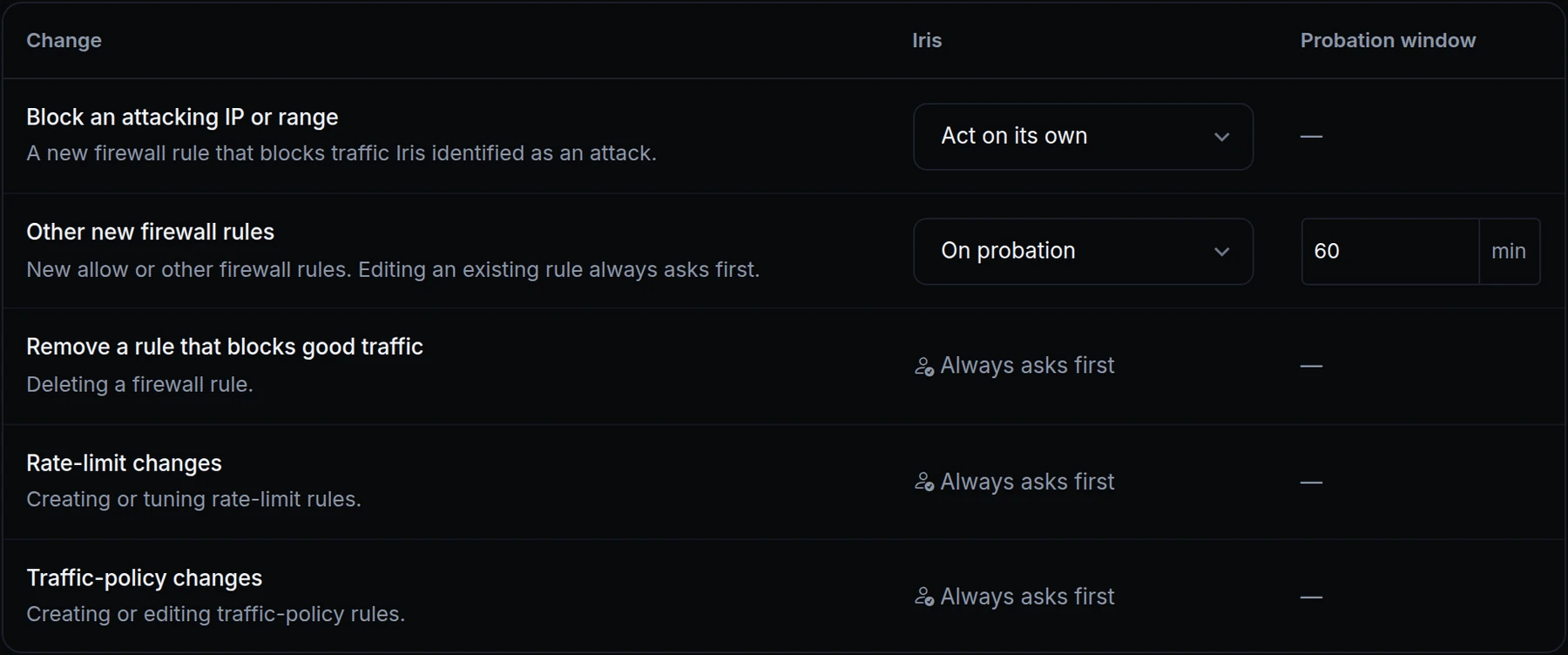
- The safeguard stays. After five roll-backs in an hour, that kind of change goes back to Ask me first.
Get started
- Open Account › AI Usage & Activity.
- Under Iris settings, choose what Iris may do on its own. By default it asks before every change.
- Read the activity list below the settings: each automatic change says what became of it.
- Read the docs: Hands-off autonomy.