
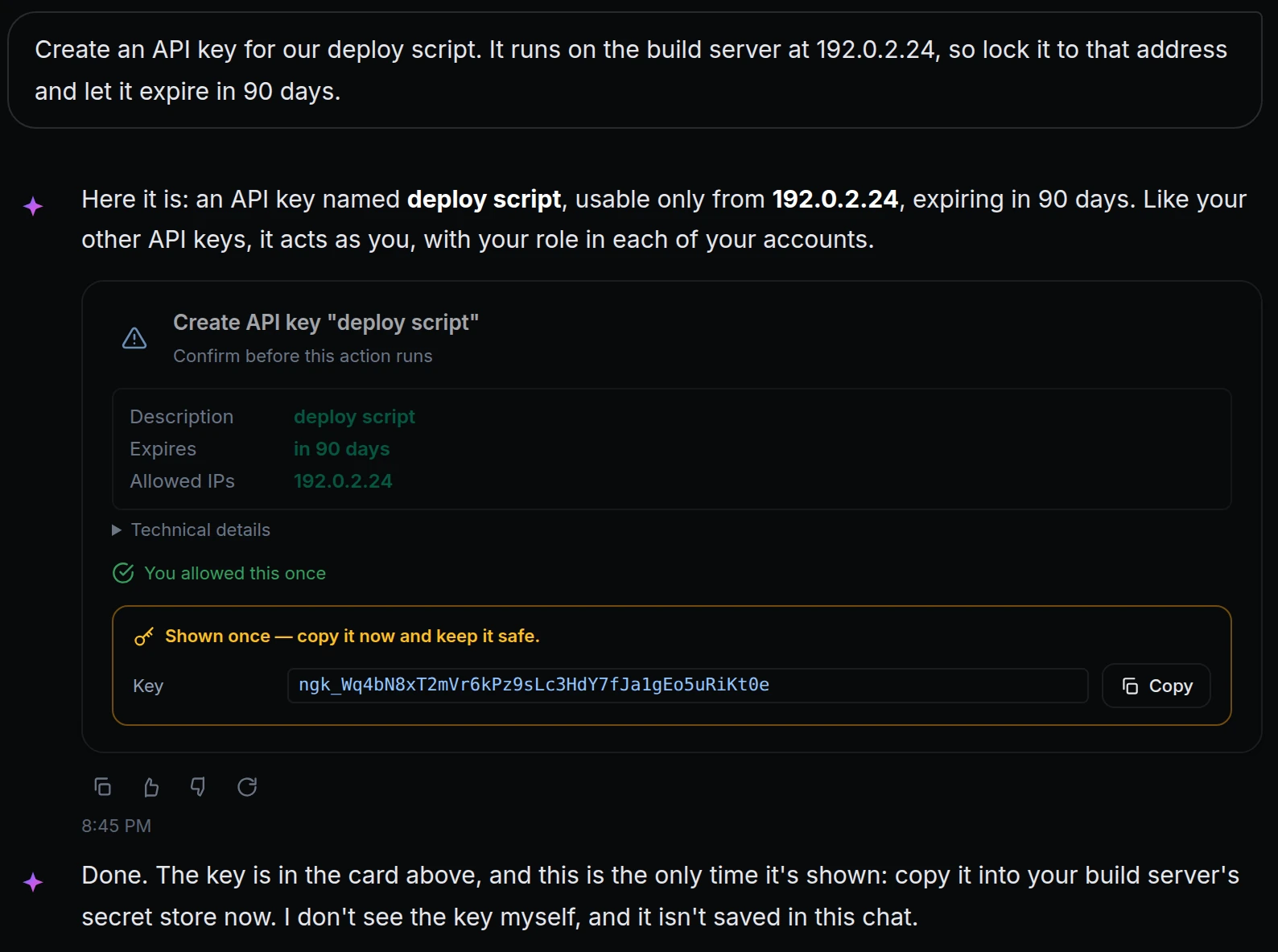
Iris works inside your account, so some of what it handles is secret: a new API key, the Slack URL an alert posts to. A secret in a chat ends up in the chat's history, and a URL that Iris could change would be a way out of your account.
Three rules now keep them where they belong. A key or token that Iris creates for you is shown once, to you. A saved Slack, Discord or webhook URL shows only its domain, and Iris can't add or change one. And alert emails go only to members of your account. Above, Maya asks Iris for an API key for her deploy script, allows it once, and the key appears in the card, marked Shown once. Iris says it never saw the key.
What changed
- Keys are shown once, to you. A new API key, token or invite link from an action you confirmed appears in that action's card, with a Copy button. Iris doesn't see it and the chat doesn't keep it, so copy it when it appears.
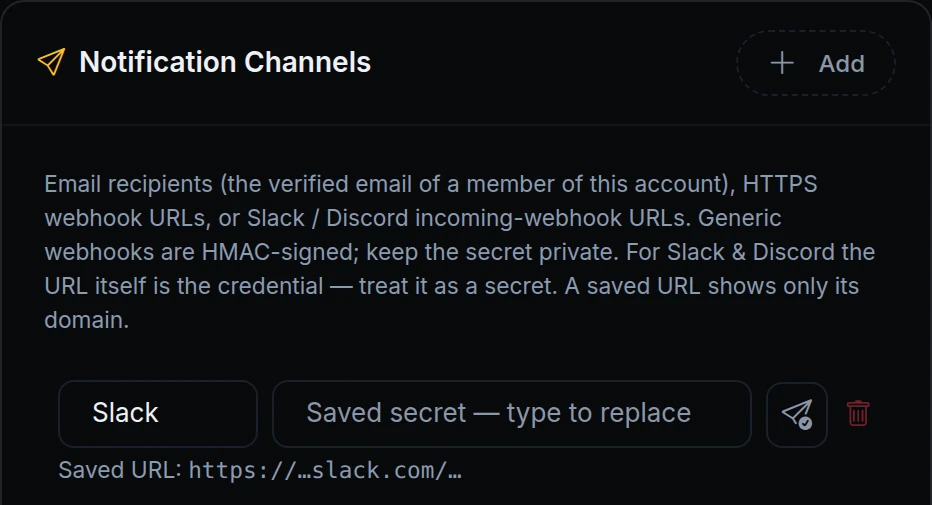
- Saved URLs show their domain. Slack, Discord and webhook URLs work like passwords. Once saved, they show only their domain, to you and to Iris.
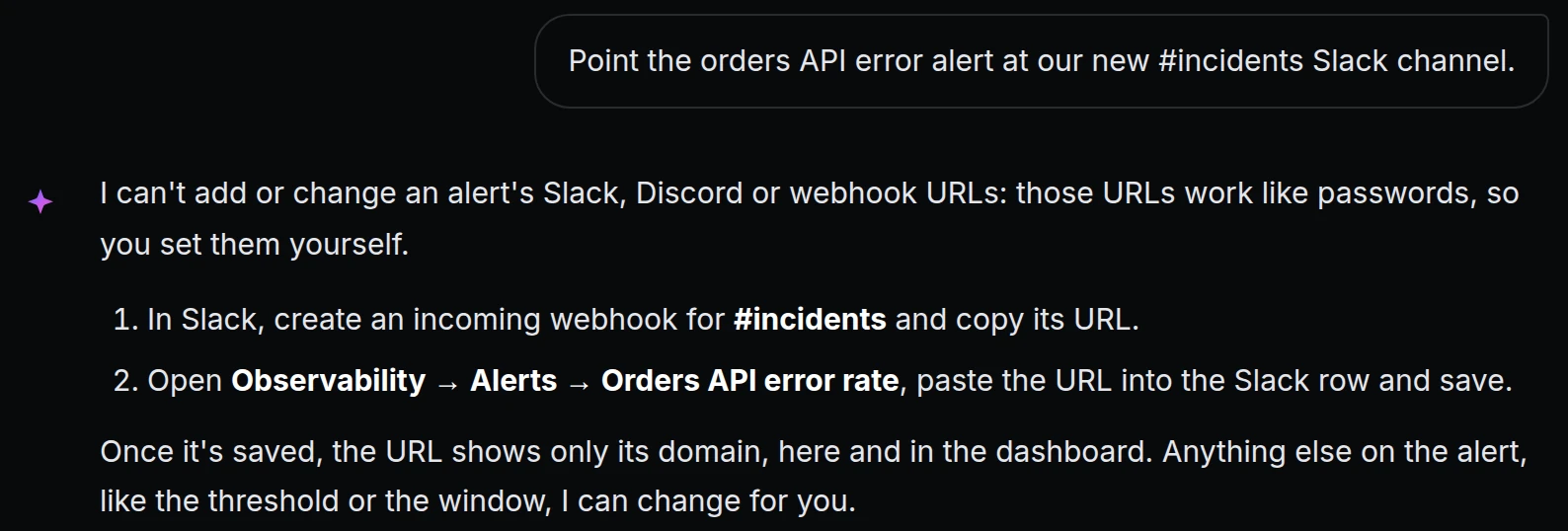
- Iris doesn't add or change those URLs. Ask it to, and it tells you how to do it in the dashboard. Everything else about an alert, it can still help with.
- Alert emails stay in your account. An alert can email only the verified address of a member of the account. Iris asks you which member should get it.
Get started
- In Iris, ask for something that creates a key, for example "Create an API key for my deploy script", and choose Allow once on its card.
- Copy the key from the card: it isn't shown again.
- Open Observability → Alerts and one of your alerts to see its saved URLs and who gets it.
- Read the docs: Iris permissions and privacy and Threshold alerts.