
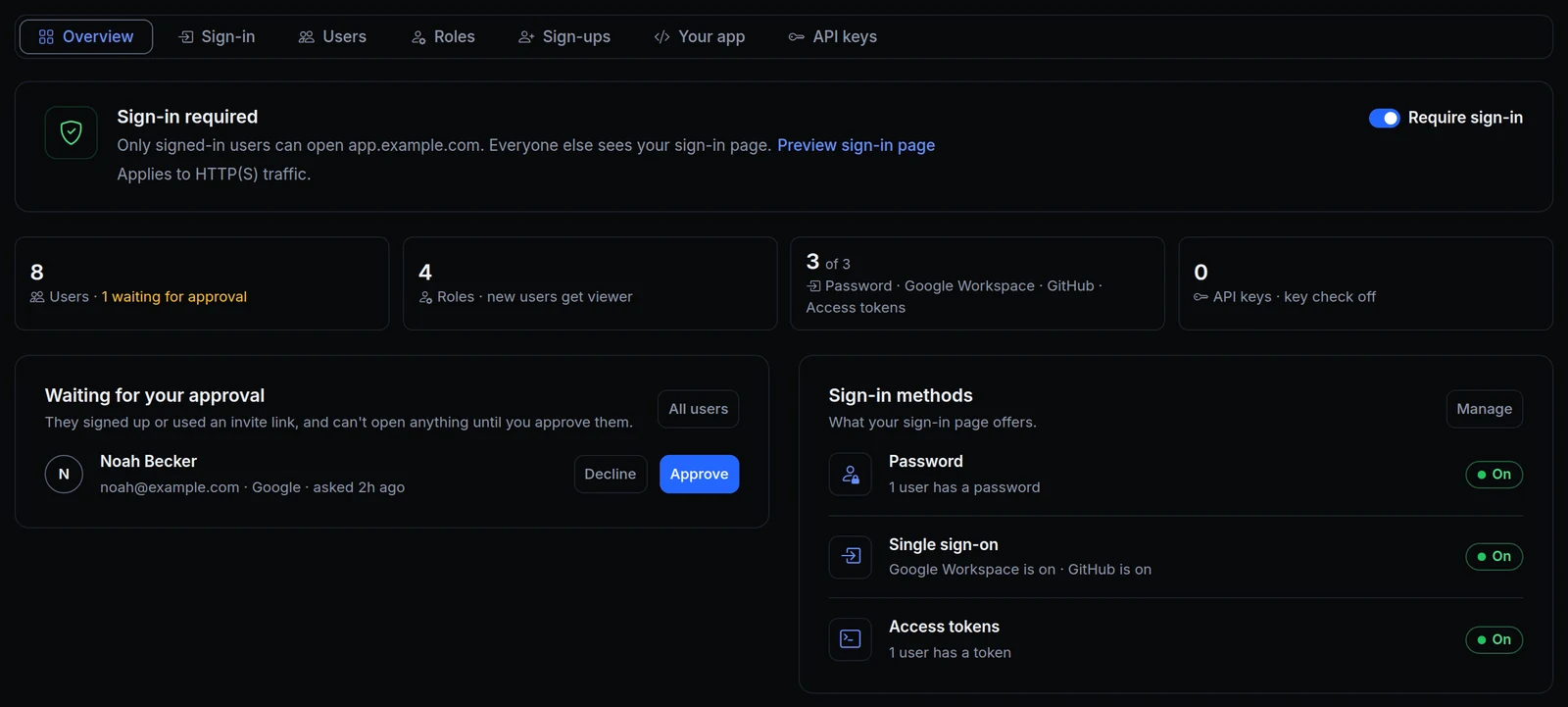
Who could open an app behind sign-in was spread over four endpoint tabs: Authentication, OAuth / SSO, Access Control and API Keys. And the people who signed in were "endpoint users", easy to mix up with the members of your ngris account.
Now one tab, Sign-in & access, holds all of it in seven sections: Overview, Sign-in, Users, Roles, Sign-ups, Your app and API keys. The people and scripts that sign in are users, and the tab says once that they aren't members of your ngris account. Above is the Overview of Acme Labs' ops console at app.example.com: eight users, one of them waiting for approval, four roles and three ways to sign in.
What changed
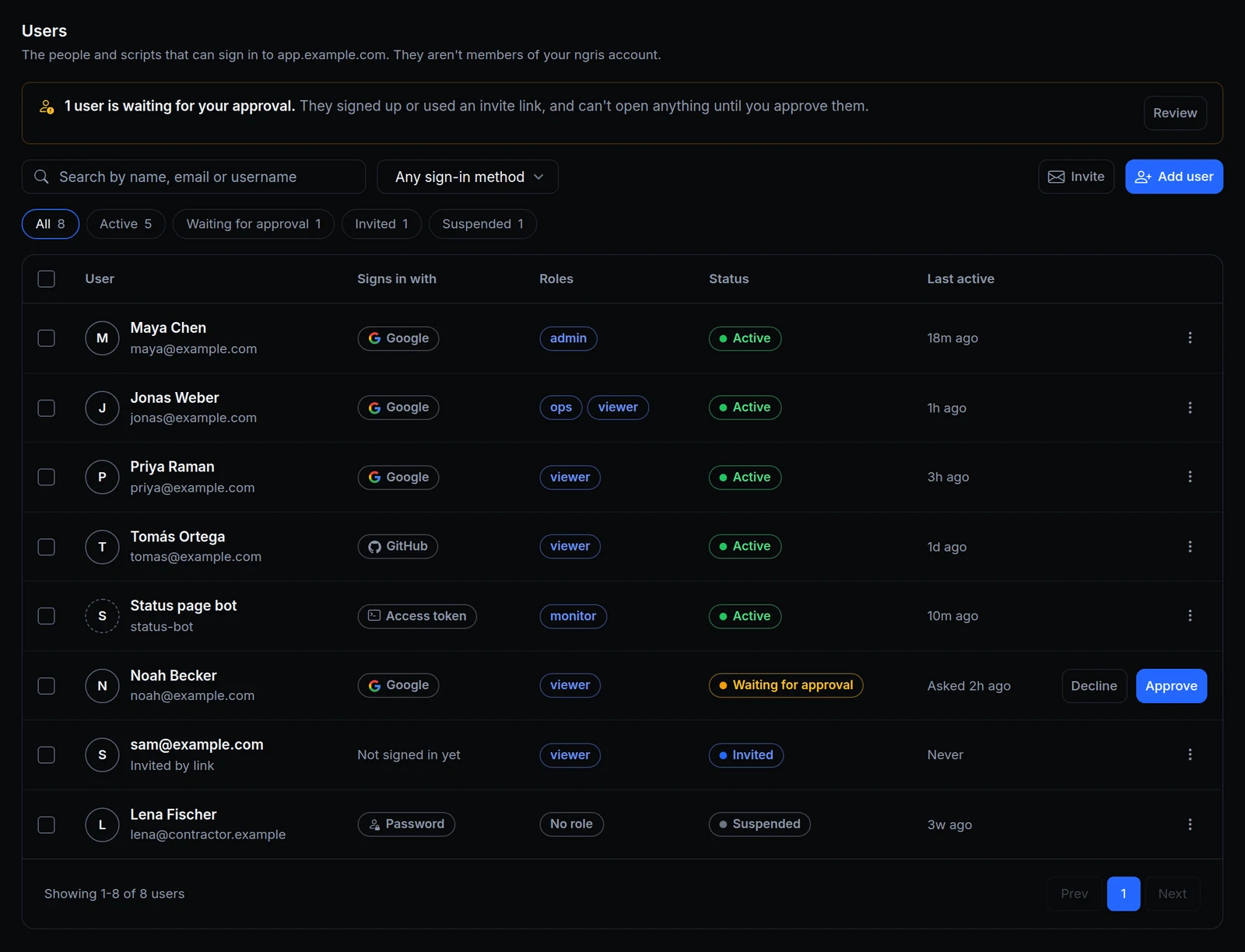
- Seven sections, one tab. Overview turns sign-in on and shows the counts. Sign-in holds the sign-in methods. Users, Roles and Sign-ups decide who gets in. Your app shows what your app receives, and API keys holds the keys for partners and services. Links to the old tabs open the new sections.
- Who can join, in three choices. Only users you add or invite, Also anyone who signs up, after you approve them, or Also anyone who signs up.
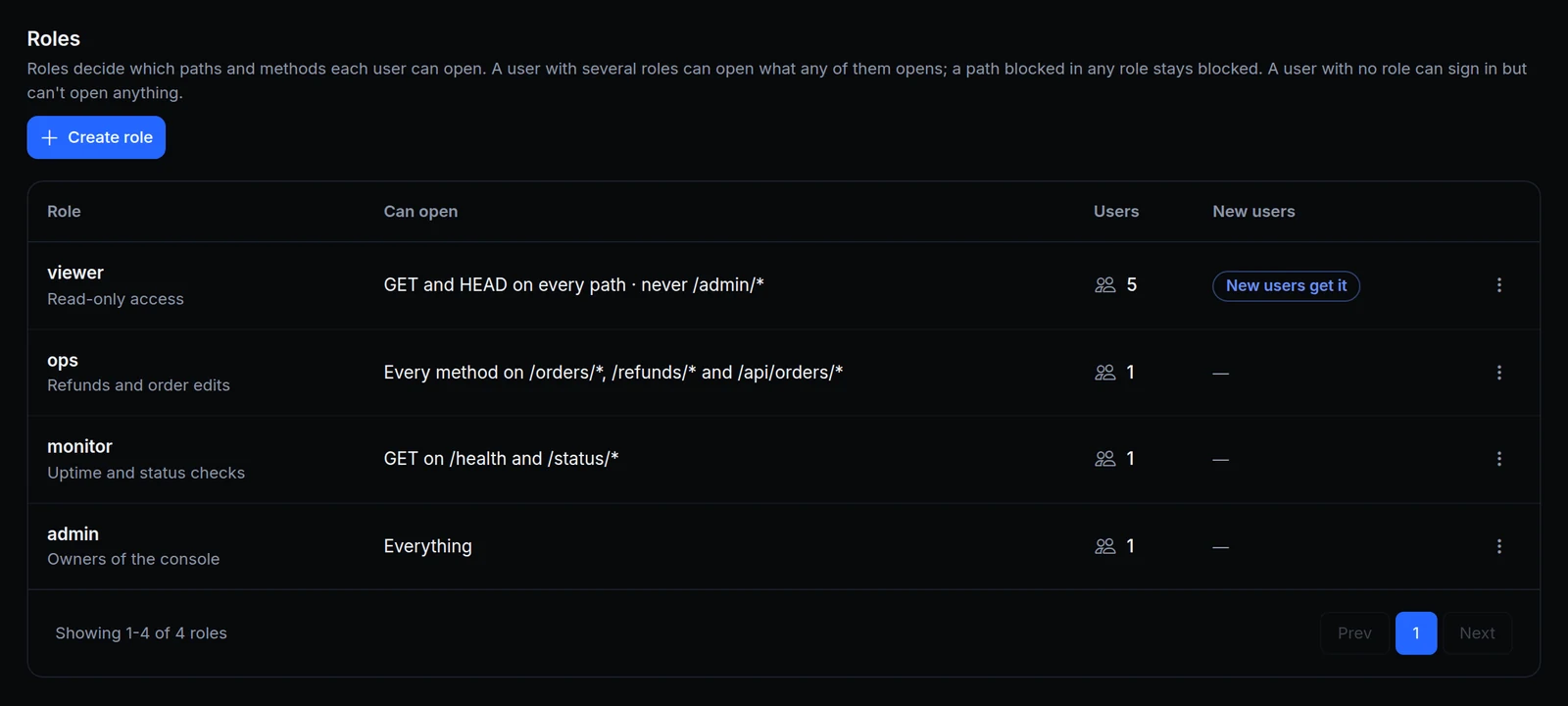
- One role for new users. New users get sets the role every new user starts with, whether you add, invite or approve them.
- Several roles add up. A user with several roles can open what any of them opens. A path blocked in any of their roles stays blocked.
- Who signed in, by default. When you set up sign-in on an endpoint, your app gets
X-User-ID,X-User-EmailandX-User-Rolesnext to the signedX-Ngris-Signaturetoken.X-User-IDis the user's ID, the same as the token'ssub. Endpoints that had sign-in before keep the headers they had. - Your words on the sign-in page. The page visitors see uses your title, message and button label. Preview sign-in page on the Overview shows it.
- Making the app public asks first. Turning Require sign-in off asks you to type PUBLIC.
- One save bar. Changes to a section wait in a bar, You have unsaved changes, until you save them, and leaving the page asks first.
Safer sign-in
- A method you turn off is refused. With Access tokens off, a token opens nothing. With Password off, neither does a username and password in the
Authorization: Basicheader. - ngris makes the access tokens. A new token is generated and shown once: you can't type your own. Tokens made before keep working.
- Revoked is final. Suspended is the one you can undo, with Reactivate. To let a revoked person back in, delete them, then invite or add them again.
- Wrong tokens are refused. Repeated wrong passwords or tokens are refused for a while.
Get started
- In the dashboard, go to Gateway → Endpoints, open the endpoint and its Sign-in & access tab.
- On Overview, turn on Require sign-in and pick how users sign in.
- Add or invite people in Users, and decide what they can open in Roles.
- Choose who can join in Sign-ups, and what your app receives in Your app.
- Read the docs: RBAC & OAuth and What your app receives.