
An app behind sign-in still gets calls from things that can't sign in: GitHub posting a webhook, an uptime checker asking for /health. Until now the only way to let them through was an older API setting that listed the protected paths, and it didn't work on an endpoint with users.
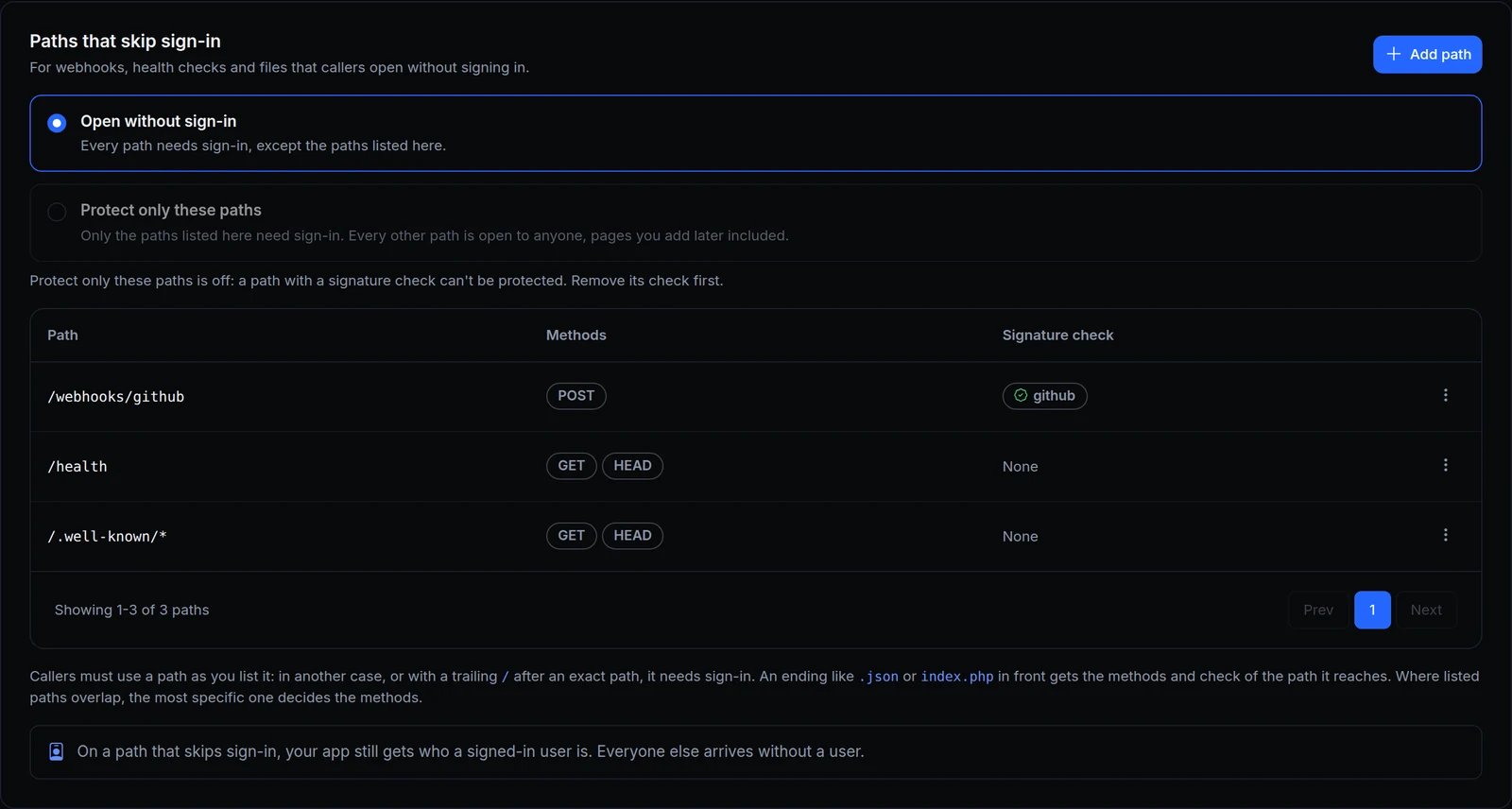
Now Sign-in has a Paths that skip sign-in card. Above, Acme Labs' console lets three paths through: GitHub's webhooks, as a POST with a valid signature, and GET and HEAD on /health and /.well-known/*. Every other path still needs sign-in.

What changed
- Two ways to read the list. Open without sign-in: every path needs sign-in except the ones listed. Protect only these paths: only the listed paths need sign-in, and every other path is open to anyone, pages you add later included. Switching between them asks first.
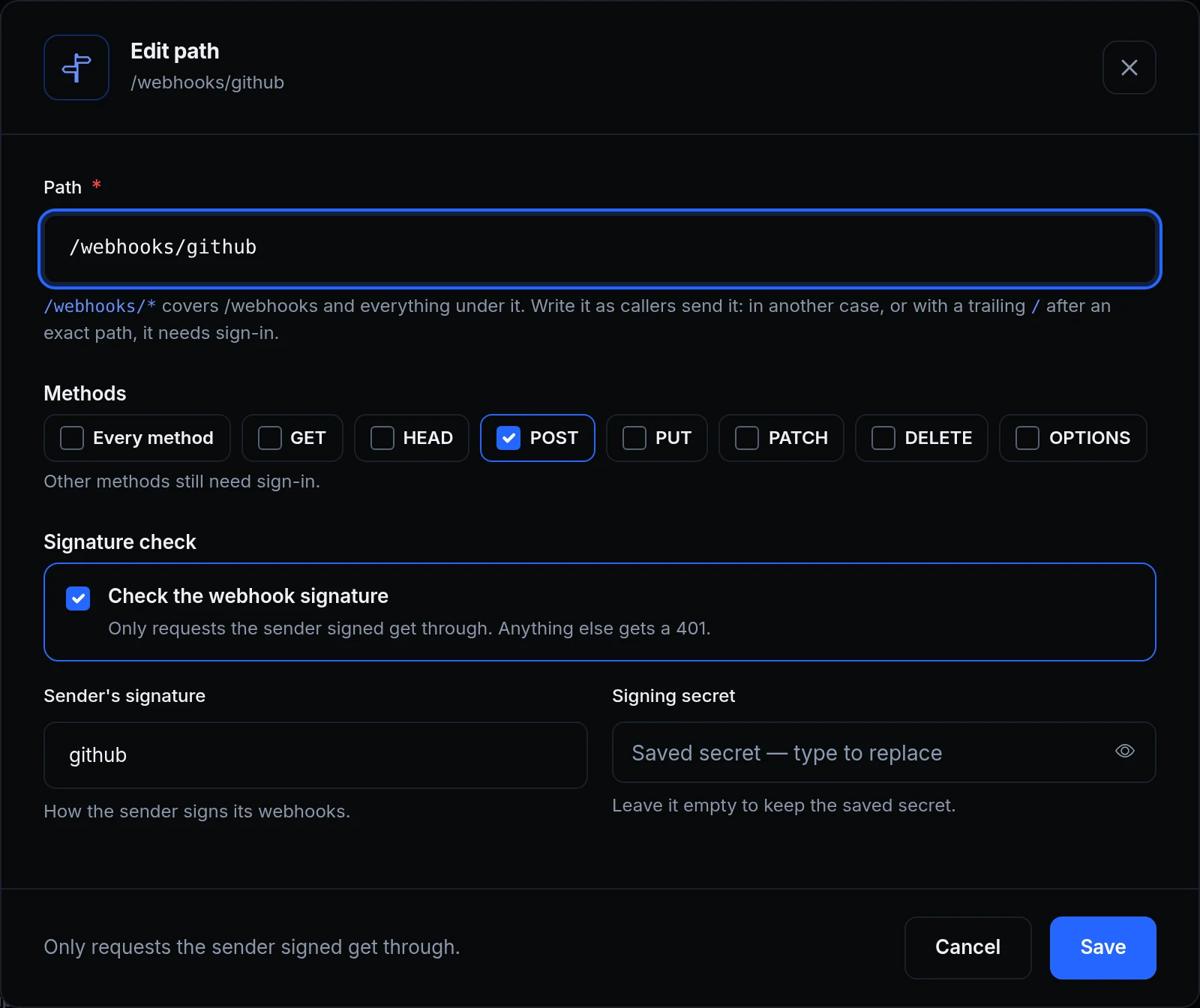
- Methods per path. Every method, or any of GET, HEAD, POST, PUT, PATCH, DELETE and OPTIONS. Other methods still need sign-in.
- A signature check in the same dialog. A path can check a webhook's signature first, for a sender such as GitHub or Slack, or as a generic HMAC with your header, algorithm and prefix. Only requests the sender signed get through. It works the way the Verify webhook rule does, on a path of an endpoint with sign-in.
- POST without a check opens every method. Rails, Laravel and Symfony can read the method from the request body, so a POST can act as PUT, PATCH or DELETE. The dialog offers to open every method or to add a signature check.
- One-click starts. Start from
/webhooks/*,/healthor/.well-known/*./webhooks/*covers/webhooksand everything under it. - Your app still knows who's signed in. On a path that skips sign-in, a signed-in visitor still reaches your app as that user. Everyone else arrives without a user.
- Up to 50 paths per endpoint, written as callers send them.
Get started
- Open the endpoint's Sign-in & access tab, then Sign-in.
- Under Paths that skip sign-in, click Add path. Start from
/webhooks/*,/healthor/.well-known/*, or type your own. - Pick the methods. For a webhook, tick Check the webhook signature, choose the sender and paste its signing secret.
- Click Open path.
- Read the docs: Paths that skip sign-in.