
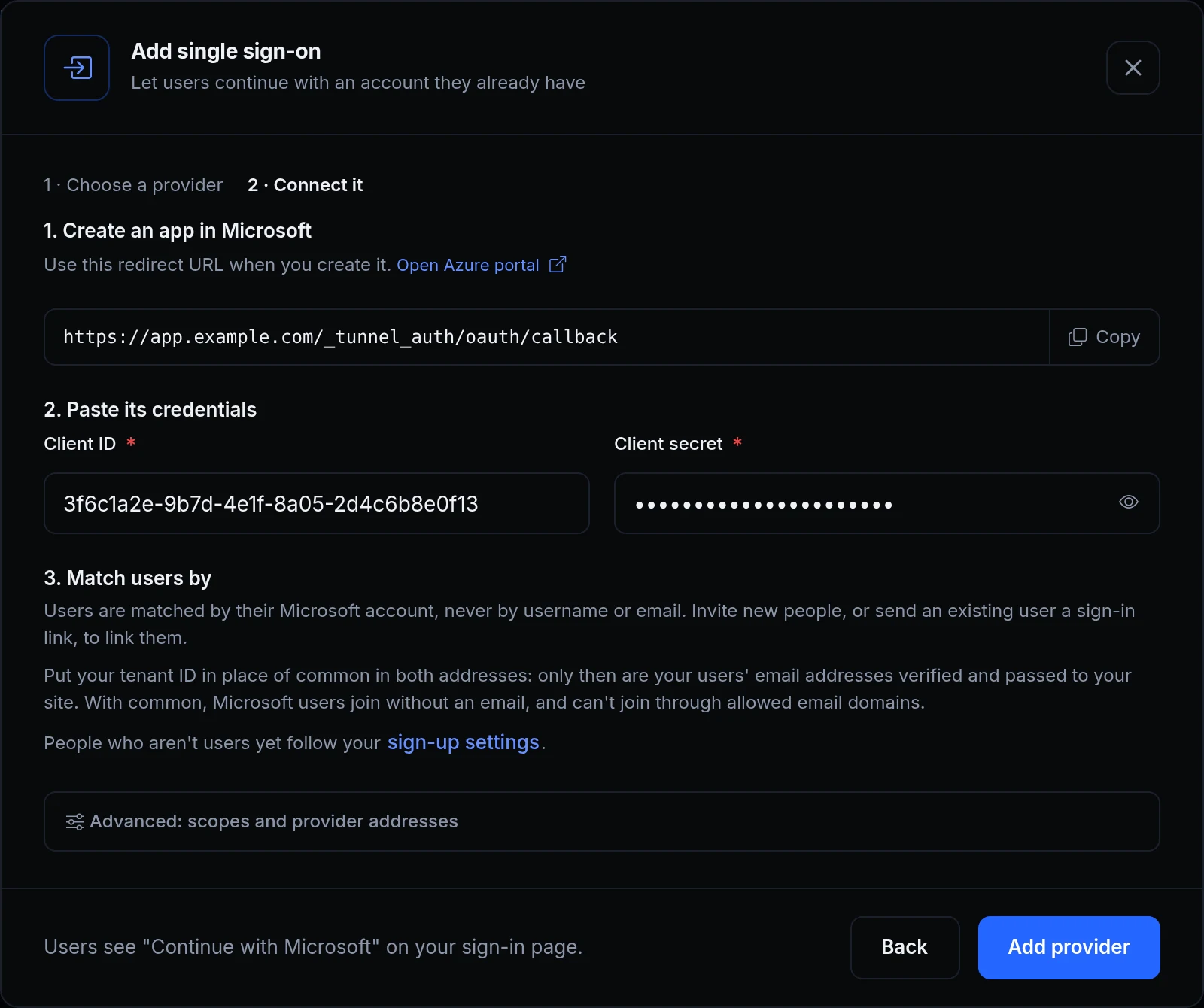
When someone continues with Google, ngris has to know which of your users they are. A username or an email is a weak way to tell: an address can change hands, and not every provider checks the addresses it sends.
Now single sign-on finds a user by their account at the provider, by its ID, which never changes. An email links an account to a user only when the provider says that address is verified, and only for a user you added or invited. Above, Acme Labs adds Microsoft for its contractors, and the dialog says how users are matched.
What changed
- Matched by the account. A user is linked to their account at the provider by its ID, never by a username or an email.
- Invites link it. An invited user is linked when they first continue with the provider. The provider's email must be the invite's.
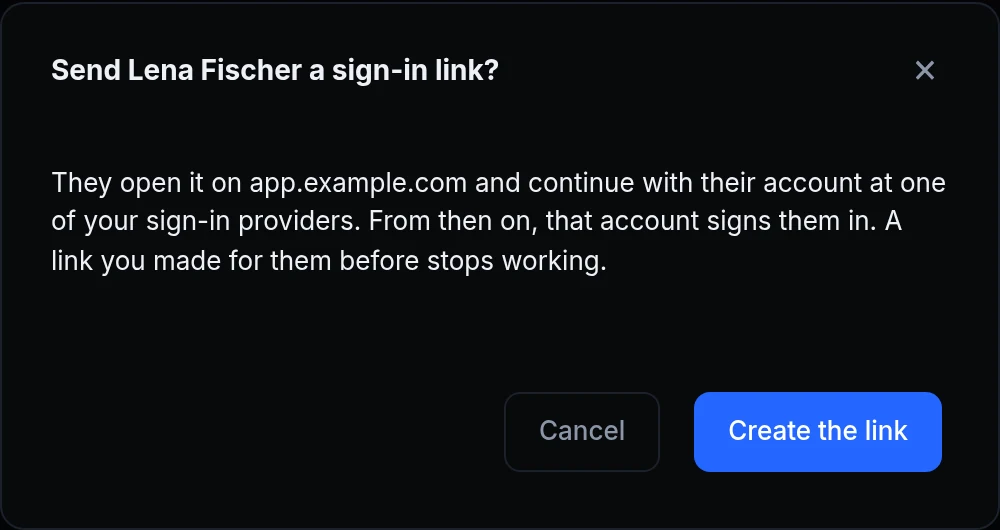
- Sign-in links for users you already have. Send sign-in link in a user's menu makes a link that works once, for 72 hours. It's shown once, for you to send them.
- Verified emails only. A user you added by email is linked at their first sign-in when Google or your OpenID Connect provider marks that email verified. Users who signed themselves up aren't linked this way.
- The email your app gets is verified too. Google and OpenID Connect providers mark it, a GitHub account's profile email counts, and Microsoft's counts only when the provider is set to your tenant. Someone without a verified email can't join through your allowed email domains: invite them instead.
- Changes that unlink ask first. A new issuer or user-info address for a provider unlinks the users linked through it, so the dialog asks first. Each of them then needs a new sign-in link.
Get started
- Open the endpoint's Sign-in & access tab, then Sign-in, and click Add provider under Single sign-on.
- Pick the provider, create an app there with the redirect URL the dialog shows, and paste its client ID and secret.
- For Microsoft, put your tenant ID in place of
commonin both addresses, under Advanced: scopes and provider addresses. - Invite new people from Users. For someone who's already a user, choose Send sign-in link in their menu.
- Read the docs: OAuth provider configuration.