New — Iris AI drafts your firewall, routing & rate-limit rules. Explore AI features →
Changelog
SecurityTunnels

Check webhook signatures at the edge, before deliveries reach you

The Verify webhook rule refuses deliveries without a valid signature at the edge, so forged events never reach your server. Its secret is never shown again.

Check webhook signatures at the edge, before deliveries reach you

Anyone who finds your webhook URL can post fake events to it. Checking each delivery's signature is code you have to write, and keep right, in every service that receives webhooks.

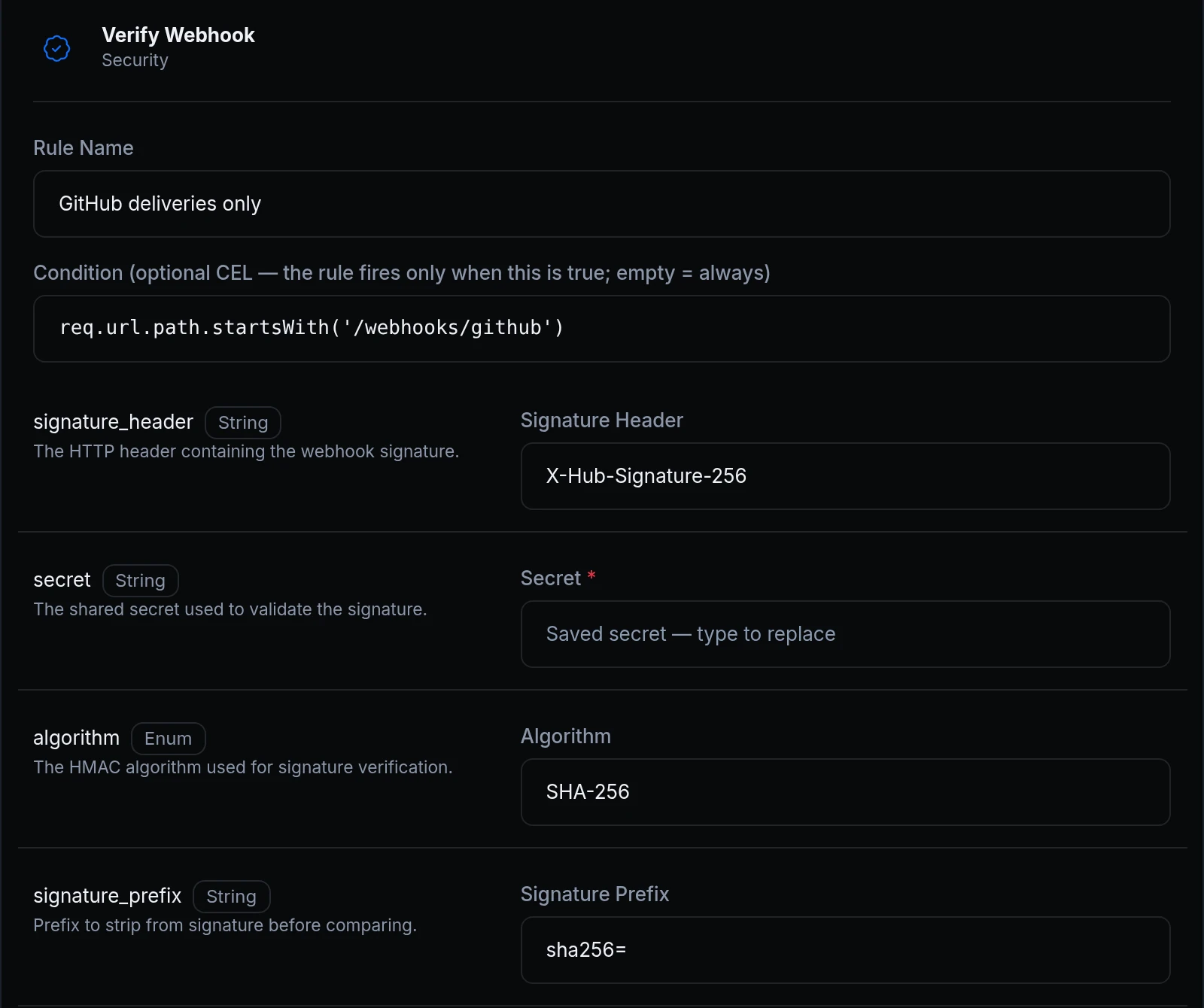
The Verify webhook rule checks the signature at the edge, with the secret you share with the sender. A delivery without a valid signature gets a 401 and never reaches your server. And the secret is now write-only: once saved, neither the dashboard nor the API shows it again, and editing the rule keeps it unless you type a new one, as in the rule above.
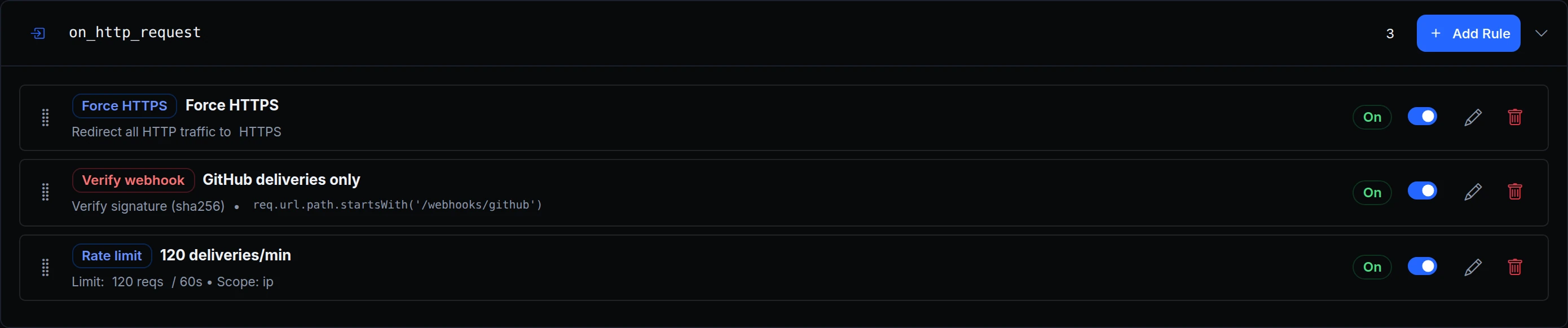
The endpoint's on_http_request rules: Force HTTPS, Verify webhook GitHub deliveries only with its path condition, and a per-address rate limit
Acme Labs' office webhook server takes GitHub deliveries through acme-hooks.ngris.dev. Jonas adds the rule for the /webhooks/github path, with the header GitHub signs in, SHA-256 and the sha256= prefix.
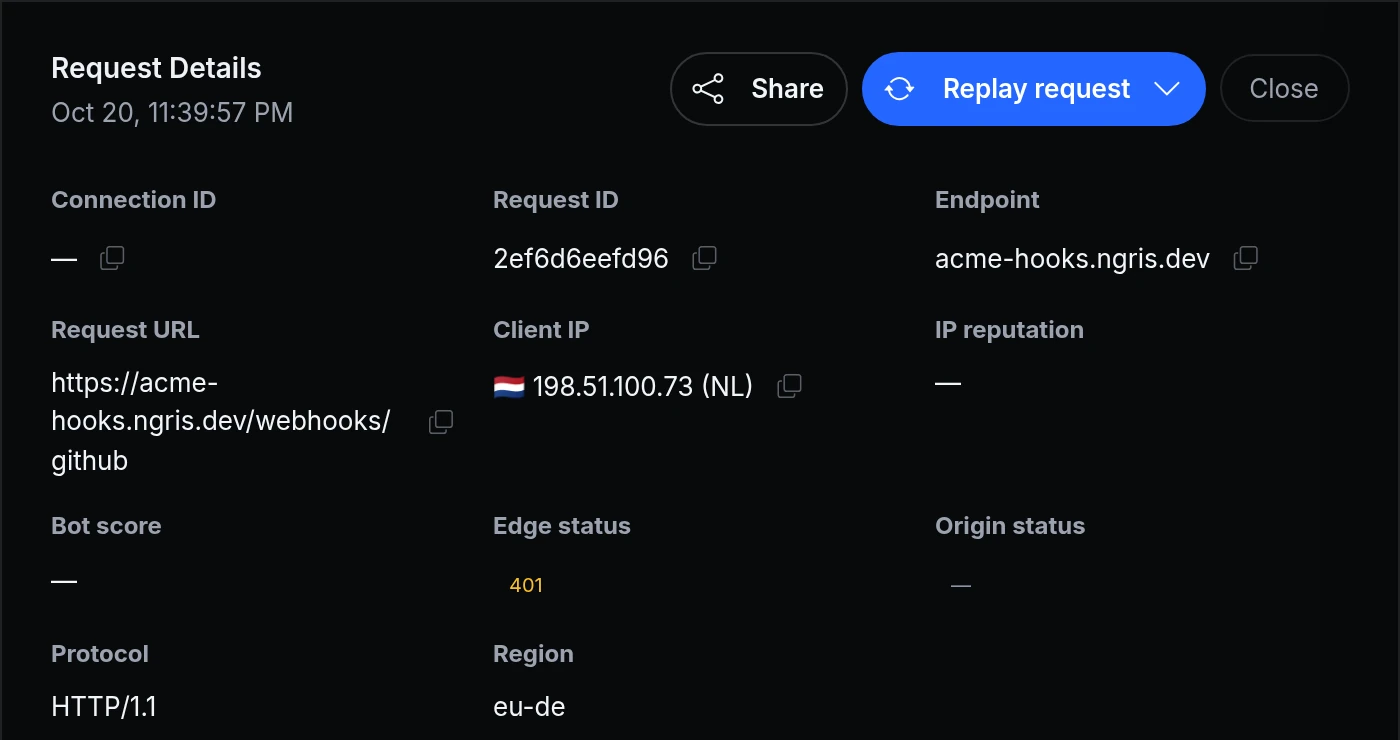
Request details for a POST to /webhooks/github from 198.51.100.73: edge status 401, no origin status
Someone found the URL and posts fake push events from 198.51.100.73. The edge answers 401 and the office server never sees them: the Traffic Inspector shows no origin status.
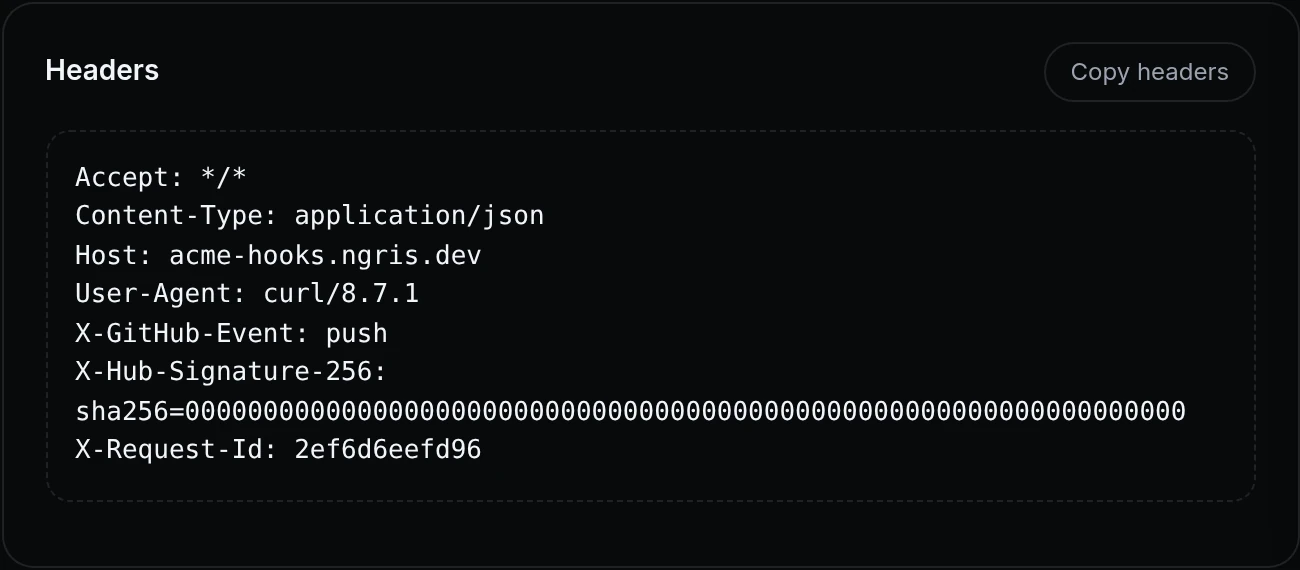
The refused request's headers: an X-Hub-Signature-256 header with a made-up value
The fake delivery carries a signature header, but one that wasn't made with Acme's secret, so it doesn't match. GitHub's own deliveries match and go through to the server.

What you can set

  • Header, algorithm and prefix. For senders that sign the request body with your shared secret, using SHA-256 or SHA-1, such as GitHub: header X-Hub-Signature-256, prefix sha256=.
  • A sender's own scheme. Over the API or in the YAML view, a provider such as github or slack checks that sender's scheme. Slack signs the time of sending too, so an old delivery replayed later is refused.
  • Where it applies. A condition on the request path, as above, limits the check to the path that receives webhooks, such as /webhooks/github.
  • What you see. With Traffic Capture on, refused deliveries show in the Traffic Inspector with their headers. They don't count toward your usage.
  • The secret stays secret. After you save it, the field shows Saved secret — type to replace, and the API answers **** in its place.

Get started

  1. In the dashboard, go to Gateway → Endpoints, open the endpoint and its Traffic Policy tab.
  2. Next to on_http_request, click Add Rule and choose Verify Webhook.
  3. Fill in the signature header, the secret, the algorithm and the prefix, add a condition if only one path receives webhooks, and click Add Rule.
  4. Send a test delivery from the sender and find it in Observability → Traffic Inspector.
  5. Read the docs: Traffic policy rules and the rule's settings in the API.

Read the docs

Ask an AI to summarise this page
Deploy
App hosting Edge functions Domains & certificates
Connect
Secure tunnels API gateway Multi-region edge
Protect
Bot protection & challenge WAF & firewall Edge login
Observe & AI
Monitoring Inspector & replay Iris AI MCP server AI Gateway
Developers
Developer tools Docs ngrok policy converter Blog Changelog
Compare
Ngris vs ngrok Ngris vs Cloudflare Tunnel Ngris vs Vercel Ngris vs Netlify Expose localhost guide
More
Solutions Pricing Enterprise Sign in Get Started Free