
A sign-in at the edge used to last until its session ran out. When someone lost a phone, you could suspend them, but you couldn't simply sign that phone out. And your app had no sign-out link to give its users.
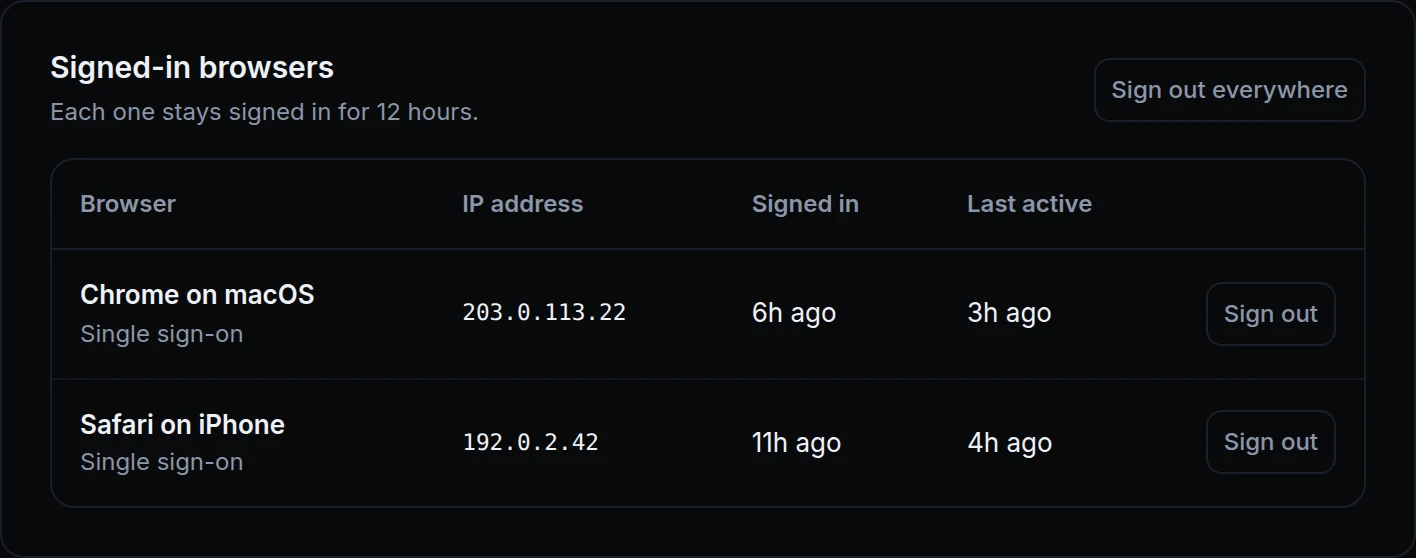
Now each user's page lists their Signed-in browsers, with Sign out on each one and Sign out everywhere above them. Above, Priya left her iPhone in a taxi. Maya signs out the iPhone, and Priya keeps working on her laptop.
What changed
- Signed-in browsers. A user's page lists each browser with how it signed in, its IP address, when it signed in and when it was last active.
- One browser, or everywhere. Sign out ends one browser's session, and the user's other browsers stay signed in. Sign out everywhere ends all of them. A user you sign out can sign in again: to keep someone out, suspend them.
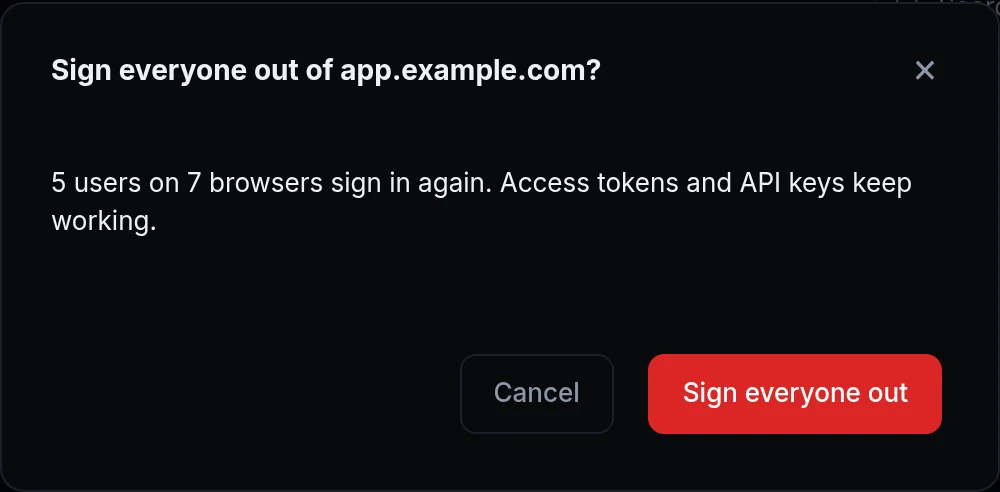
- Sign everyone out. In Sign-in, under Sessions. The confirm says how many users and browsers sign in again.
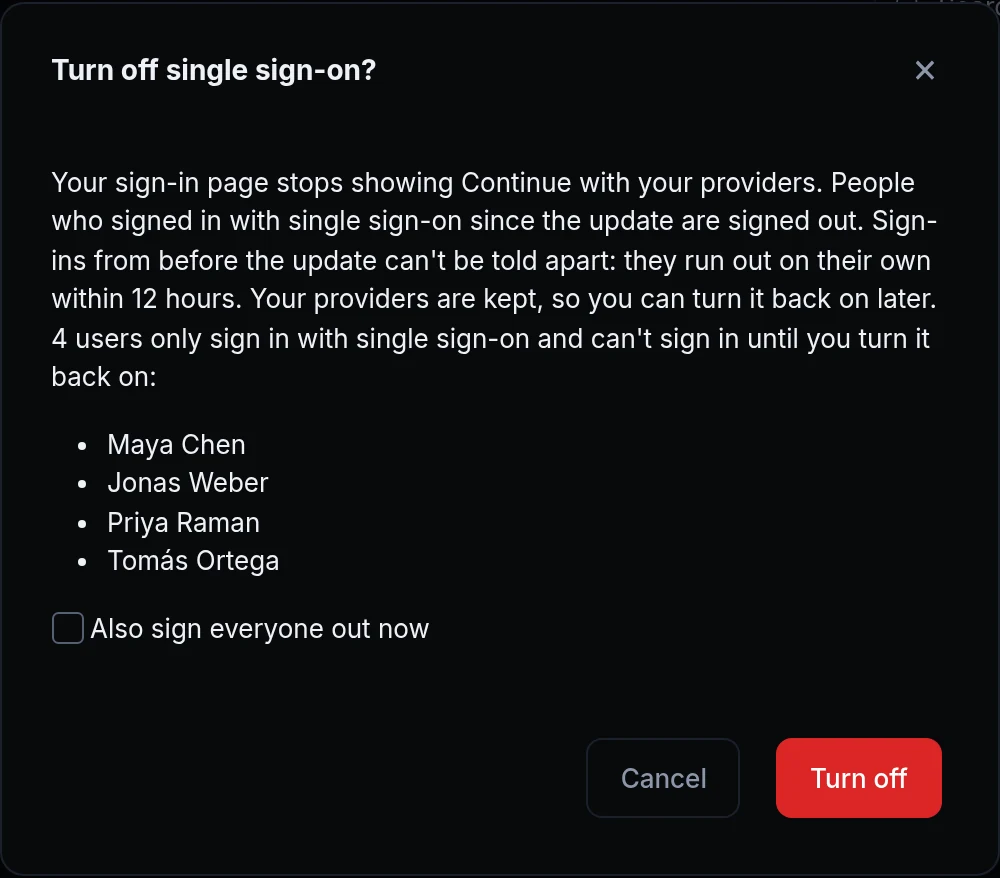
- A method you turn off signs its browsers out. Turning Password or Single sign-on off signs out the browsers that signed in with it. Tick Also sign everyone out now to sign out the rest too.
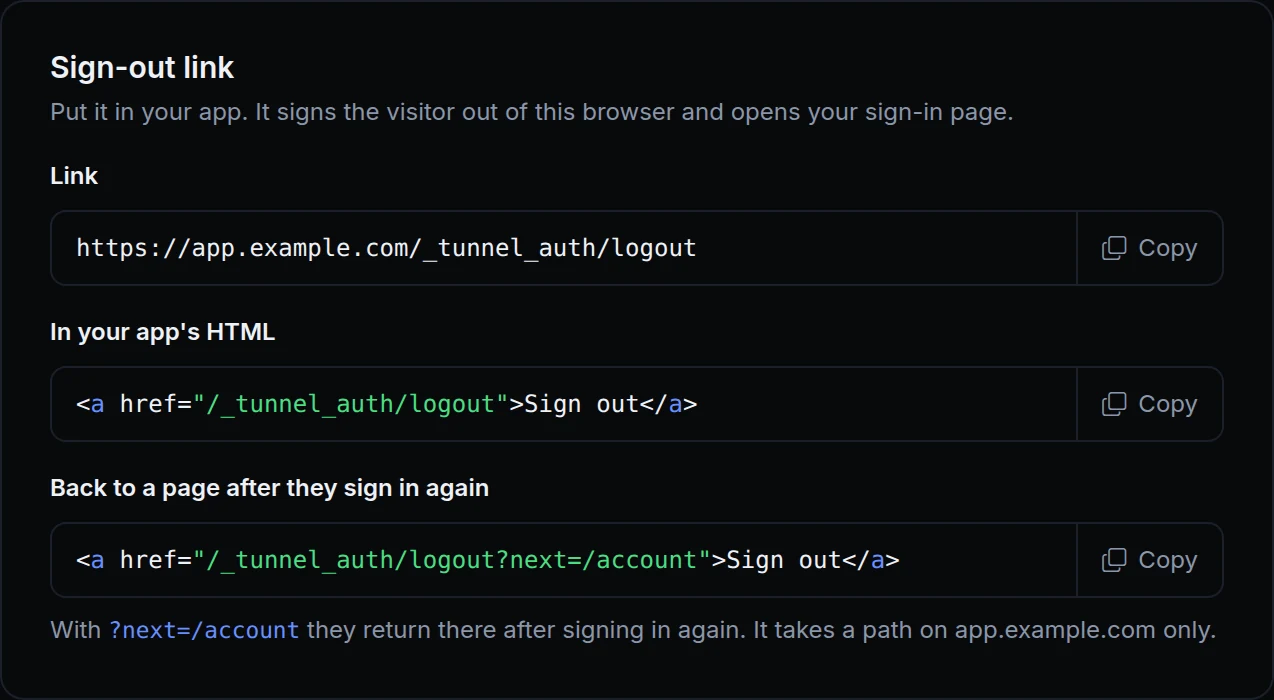
- A sign-out link for your app.
/_tunnel_auth/logouton your endpoint's address signs the browser out and opens your sign-in page. Add?next=with a path of your app to bring the user back there after they sign in. The Sign-out link card in Your app has it ready to copy. - Older sign-ins. Browsers that signed in before this update show as one row, and sign out together.
- Scripts keep working. Access tokens and API keys aren't browser sessions, so no sign-out touches them.
- Also from your tools. Each of these works over the API, the CLI and the MCP server too.
Get started
- Open the endpoint's Sign-in & access tab, then Users, and click a user.
- Under Signed-in browsers, click Sign out on one browser, or Sign out everywhere.
- To sign everyone out, open Sign-in and click Sign everyone out under Sessions.
- In Your app, copy the link from the Sign-out link card into your app's menu.
- Read the docs: Sessions and sign-out and Sign-out link.