
A hosted app often answers in parts: a live feed sent as server-sent events, a page rendered as it streams, an AI answer word by word. Some traffic rules need the whole answer first, so with such a rule on the endpoint the visitor waited until the app had sent everything.
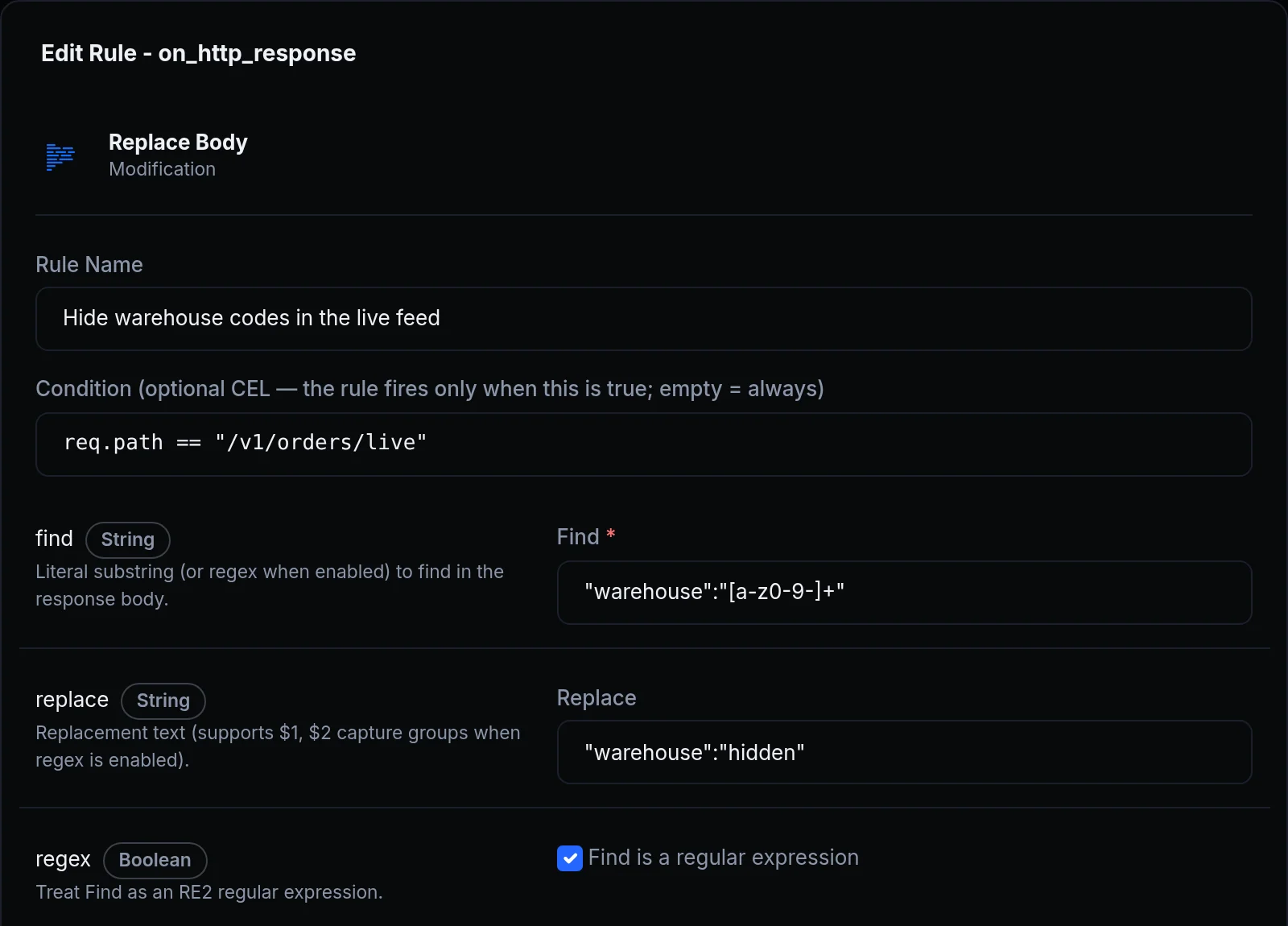
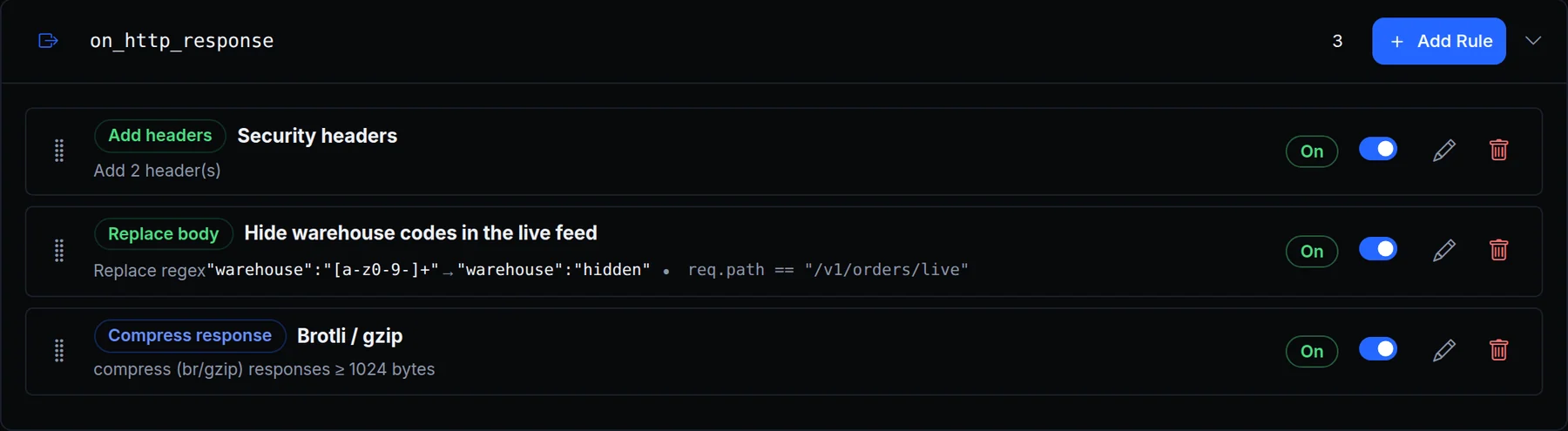
Now those answers reach the visitor part by part, and the rules still apply. Above, Acme Labs hides its warehouse codes in the live order feed: the Replace Body rule rewrites each event as it arrives, and the feed stays live.
What changed
- Replace Body on an event stream. A server-sent event stream (
text/event-stream) is rewritten one event at a time, and each event goes out as soon as it's complete. A match never spans two events, and an event larger than the rule'smax_bodypasses unchanged. - Compress while it streams. A response your app sends in parts is compressed as it streams once it passes
min_size, and every part still goes out when your app sends it. Event streams are compressed only when the rule'scontent_typesnamestext/event-stream. - Cache rules don't hold what they can't store. A streamed page marked
privateorno-store, such as a dynamic Next.js page, goes to the visitor as it comes instead of being read to its end first. - Incremental: ?1. A response your app marks
Incremental: ?1streams through every rule that doesn't need it whole, and is never cached. - Speed Insights on streamed pages. A page your app streams without compressing it gets the Speed Insights collector right after its
<head>tag, and keeps streaming. - Rules that read the whole answer still do. A Replace Body rule on a streamed answer that isn't an event stream, and an edge function on the response, read the answer to its end first, as before.
Get started
- Open an endpoint's Traffic Policy tab and click Add Rule next to
on_http_response. - Choose Replace Body, set Find and Replace, and give it a Condition such as
req.path == "/v1/orders/live". - Open the stream: each event arrives as your app sends it, rewritten.
- Read the docs: Replace Body on event streams and Compress on streamed responses.