
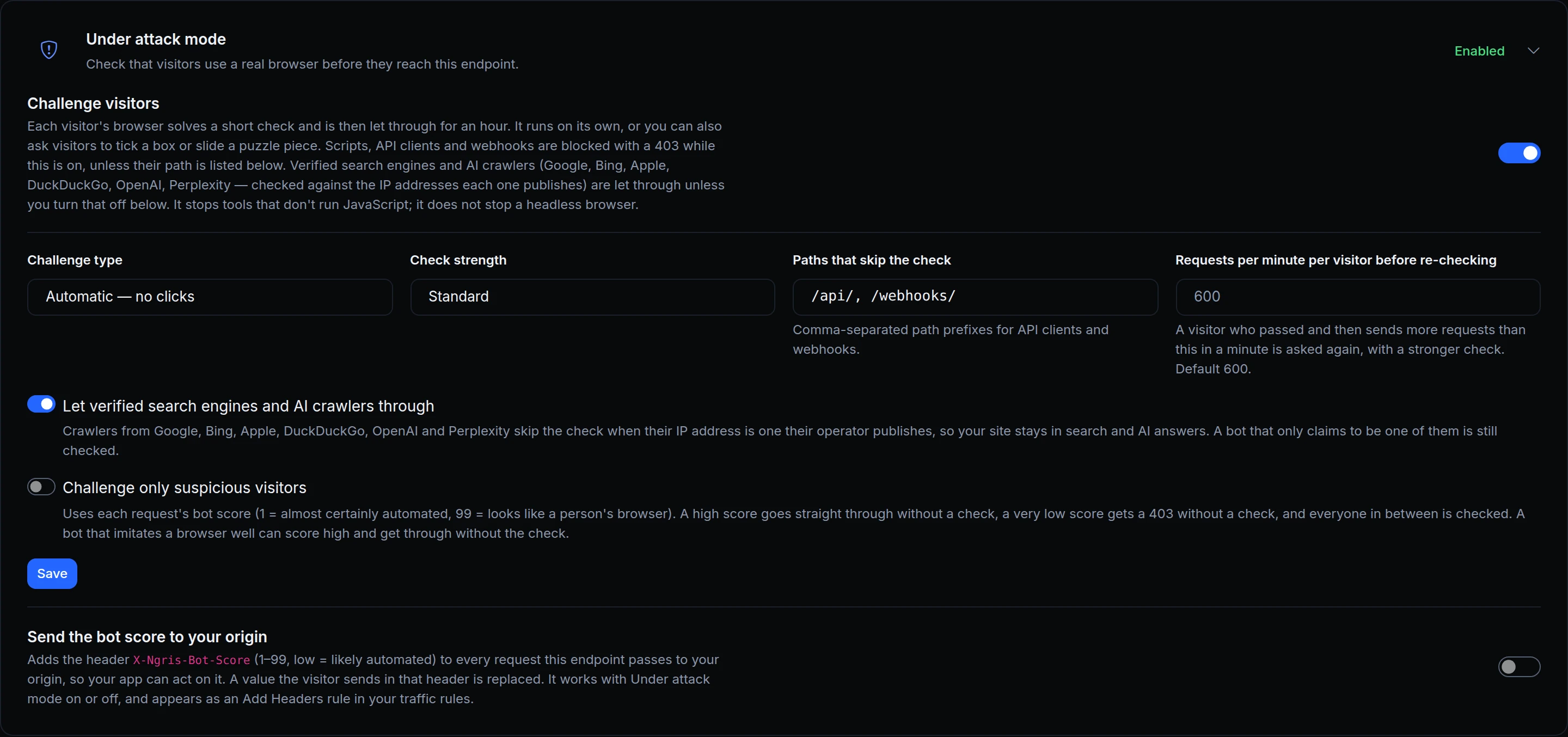
When scrapers or scripted traffic hit your site, a browser check stops them at the edge. But a check that stops every bot also stops Google, and the pages you rank with start to disappear from search.
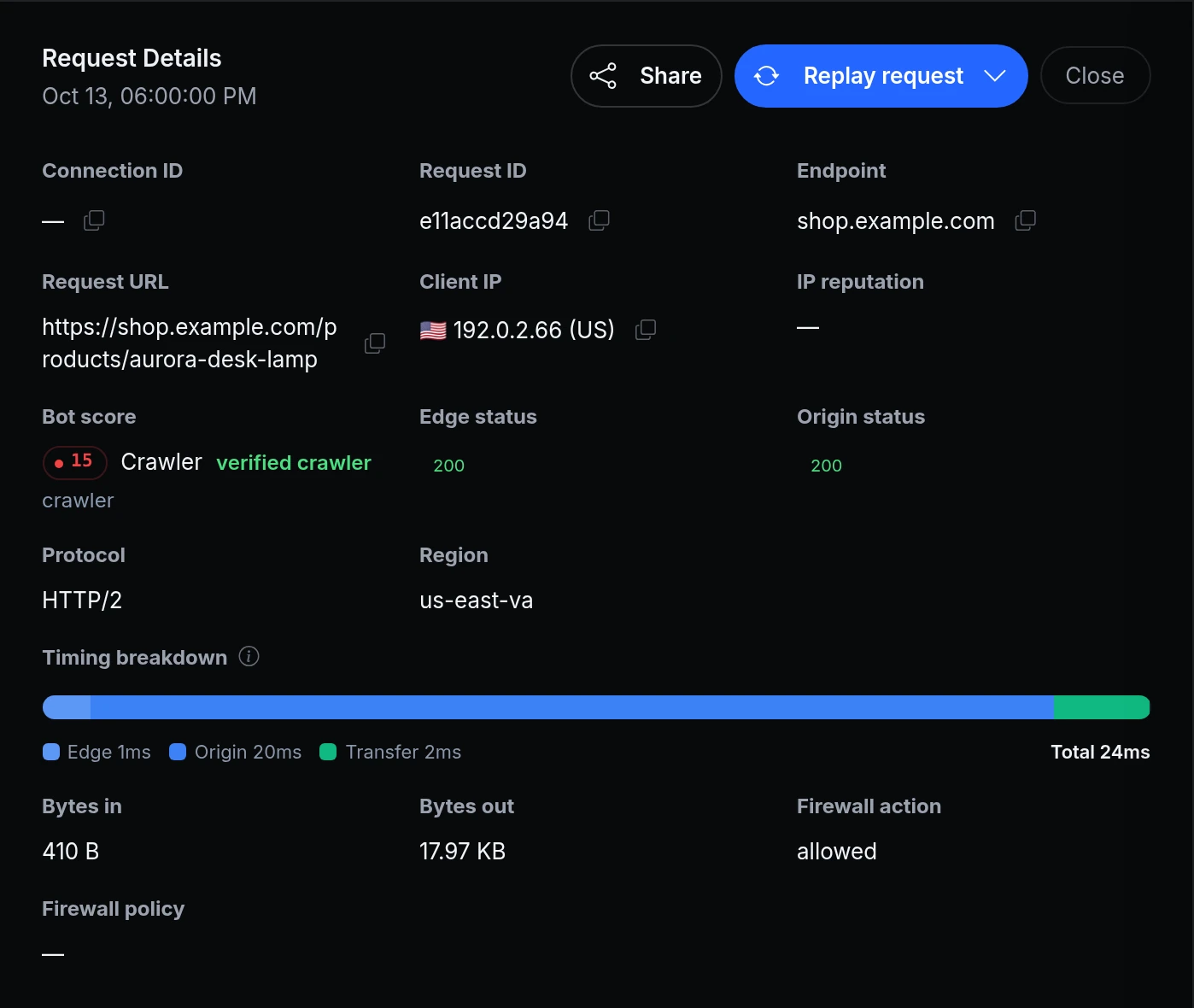
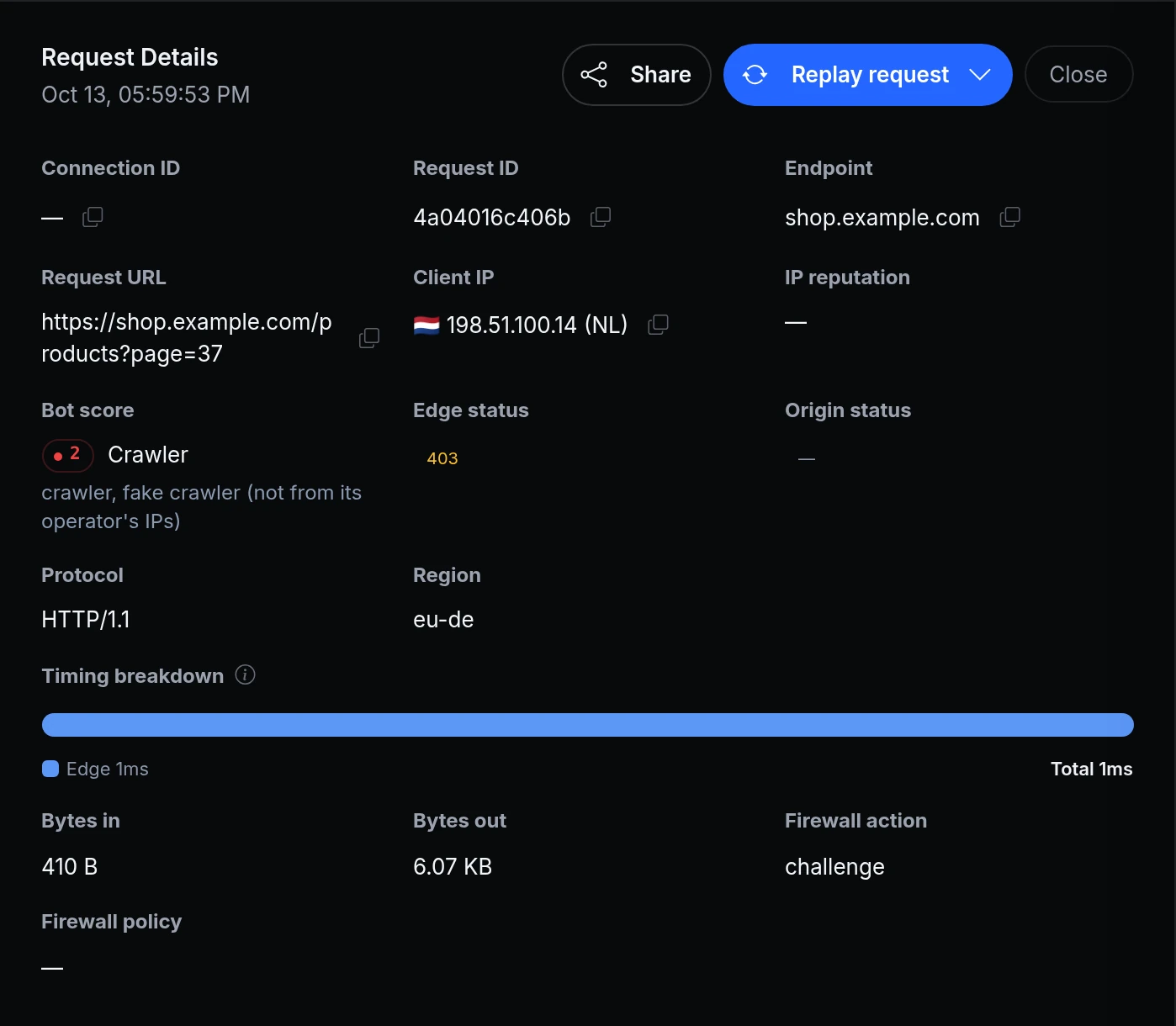
Under attack mode now lets verified search engines and AI crawlers through: Google, Bing, Apple, DuckDuckGo, OpenAI and Perplexity. A crawler counts as verified only when it comes from an address its operator publishes for it, so a scraper that copies Googlebot's name still gets the check.
What you can set
- Challenge visitors. The visitor's browser solves a check, then goes through. Pick Automatic (no clicks), Checkbox or Puzzle.
- Paths that skip the check. Scripts and API clients get a 403 while the check is on, so list your API and webhook paths here.
- Let verified search engines and AI crawlers through. On by default. Turn it off to check them like everyone else.
- Challenge only suspicious visitors. Decide by each request's bot score: a high score goes through, a very low one gets a 403, and everyone in between gets the check.
- See what happened. Every request in the Traffic Inspector shows its bot score and whether it came from a verified crawler.
The check stops scripts and tools that don't run a browser. A headless browser can still pass it, so pair it with a rate limit when a scraper is persistent.
Get started
- In the dashboard, go to Gateway → Endpoints and open the endpoint. Stay on its Overview tab.
- Expand Under attack mode and switch on Challenge visitors.
- Pick a Challenge type, add your API and webhook paths to Paths that skip the check, leave Let verified search engines and AI crawlers through on, and click Save.
- Open Observability → Traffic Inspector and click a request to see its bot score.
- Read the docs: Challenge (Under attack mode).