
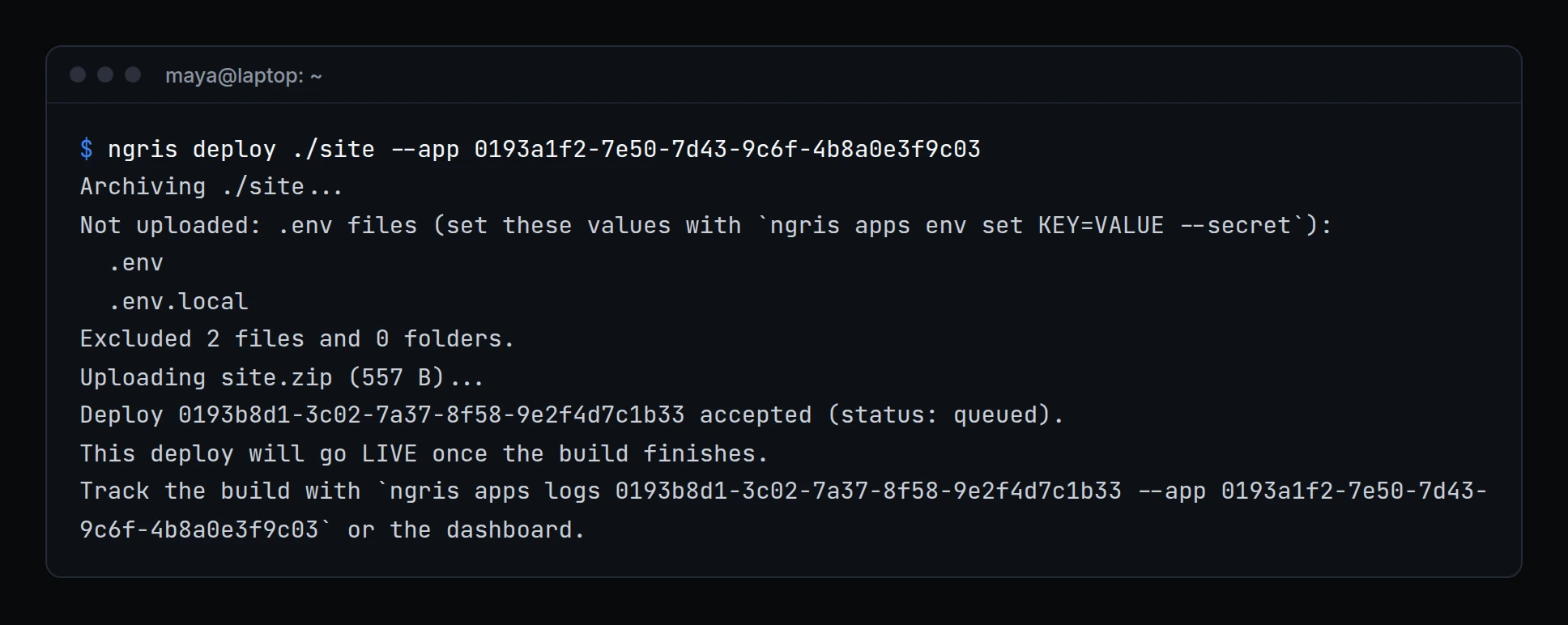
ngris deploy . zipped everything in the folder. A .env with a database password, or a file with your auth token, went up with the site.
Now a deploy leaves them out and says so. Above, Maya deploys the shop's landing page: her .env and .env.local stay on her laptop, and the CLI tells her where those values go instead.
What changed
- No
.envfiles..envand.env.*files are never uploaded;.env.exampleand.env.samplestill are. Set those values withngris env set KEY=VALUE --secret. - No login files. Your CLI config, your private key and any file with your auth token or API key are never uploaded. If one of them was ever committed or shared, remove it from the repository and replace that token or key in the dashboard.
- Your
.gitignorecounts. Without a.ngrisignore, a deploy follows your.gitignore. If your build output (for exampledist/) is gitignored, deploy that folder directly withngris deploy ./dist, or add a.ngrisignore. - A writable file server needs edge protection.
ngris webfm --rw, andtunnel.file_server_write: truewithngris http <folder>, start only with--basic-auth user:pass, or--mutual-tls requiredwith--client-ca. - No config from the folder you run ngris in. The CLI uses your personal config, or the file you pass with
--config, so a downloaded project can't change your account or settings. - Your API key only goes to the API. App commands and
ngris apisend it over https only (localhost aside), and never follow a redirect. - Git tokens out of your shell history.
ngris apps create … --git-token-stdin < token.txtreads the token from a file instead of the command line. - Clean terminal output. What the API, the network or an internet client sent shows with control characters escaped, so it can't change what your terminal shows or add a fake line. Written to a file or a pipe, the output stays exact:
ngris env pull > .envgives the real values.
Get started
- Update ngris to 0.5.0.
- Deploy as before:
ngris deploy ./site --app <uuid>lists what it left out. - If you kept settings in a
config.yamlin your project folder, runngris auth --token <your token>once, or add--config ./config.yaml. - Read the docs: App commands and Protect a writable file server.