
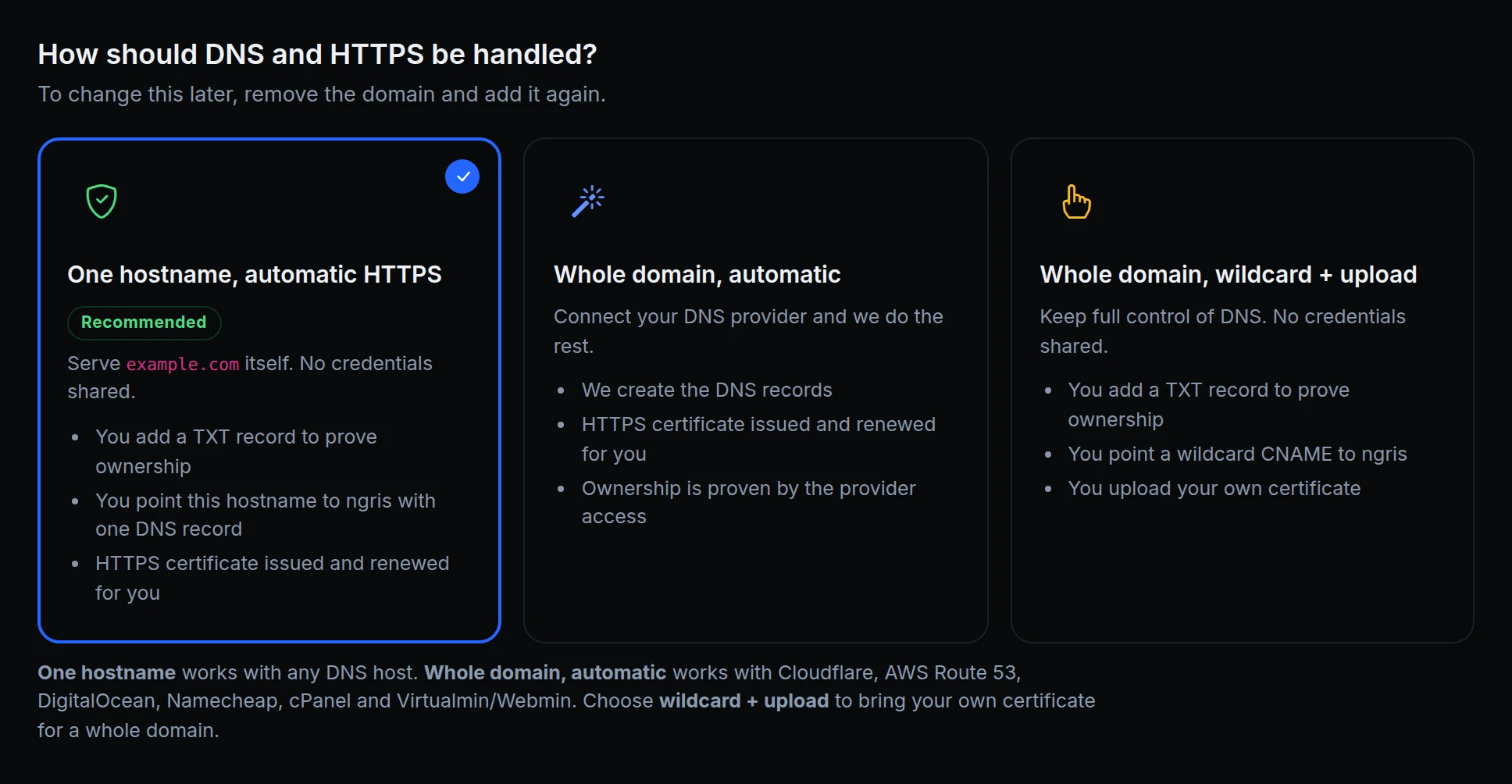
To put your own hostname on ngris, you handed over DNS credentials, or added a wildcard CNAME and uploaded a certificate yourself. A CNAME can't sit at the root of a domain, and Cloudflare's proxy hid the record ngris checked.
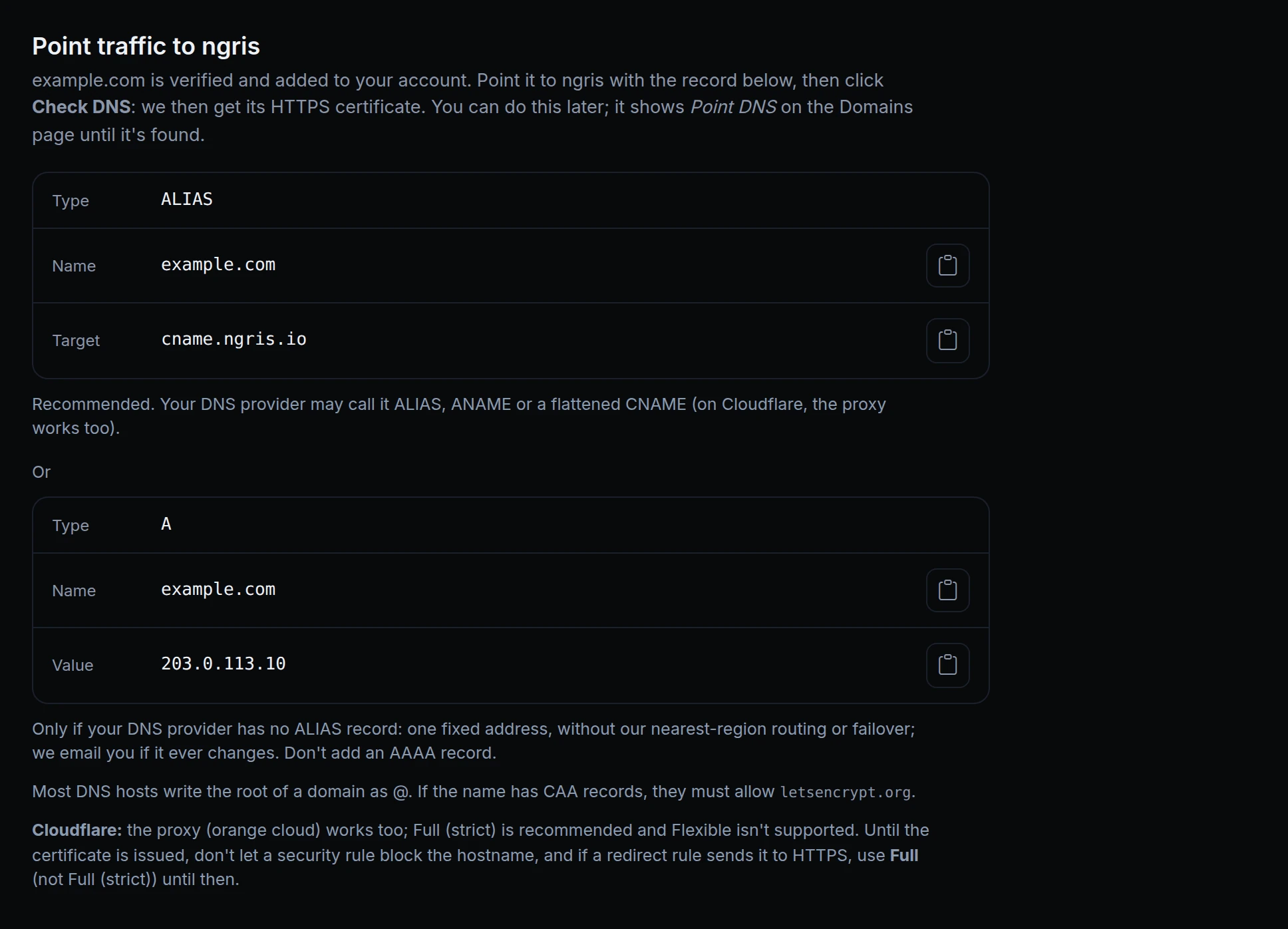
Now you can add one hostname at any DNS host: prove you own it with a TXT record, point it to ngris with one record, and ngris gets its HTTPS certificate and renews it. Cloudflare's proxy can stay on. At the root of a domain the record is an ALIAS, which Cloudflare calls a flattened CNAME, with a fixed A record as the fallback, as above.
How it works
- One hostname, automatic HTTPS is the default in New Domain and works with any DNS host. No DNS credentials are needed.
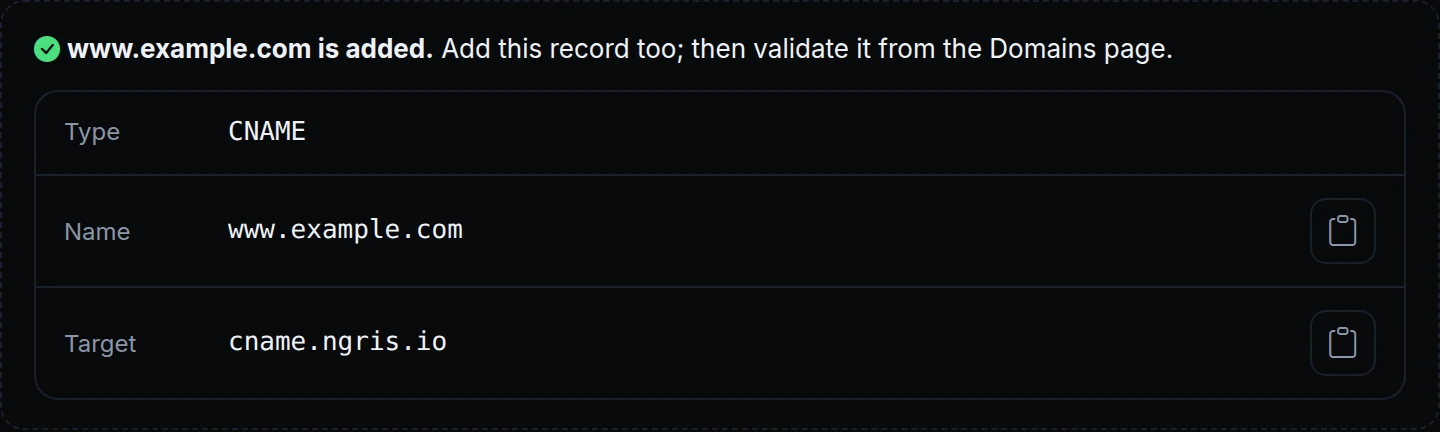
- Prove it once. Adding several hostnames under one domain? Publish one TXT record for the domain, and every hostname under it is verified by it.
- The root of a domain. Add an ALIAS to
cname.ngris.io(your DNS host may call it ANAME or a flattened CNAME). If it has nothing like it, the fixed A record works too, without our nearest-region routing or failover. - Behind Cloudflare. The proxy (orange cloud) can stay on. Full (strict) is recommended, and Flexible isn't supported.
- Certificates. After Check DNS, ngris gets a certificate for exactly that hostname and renews it before it expires. If the domain has CAA records, they must allow Let's Encrypt.
- The hostname is the endpoint. Pick it when you create an endpoint, or use it for an app.
Get started
- In the dashboard, go to Gateway → Domains and click New Domain.
- Enter the hostname or the bare domain, and keep One hostname, automatic HTTPS.
- Add the TXT record it shows and click Verify ownership.
- Add the record it shows next and click Check DNS.
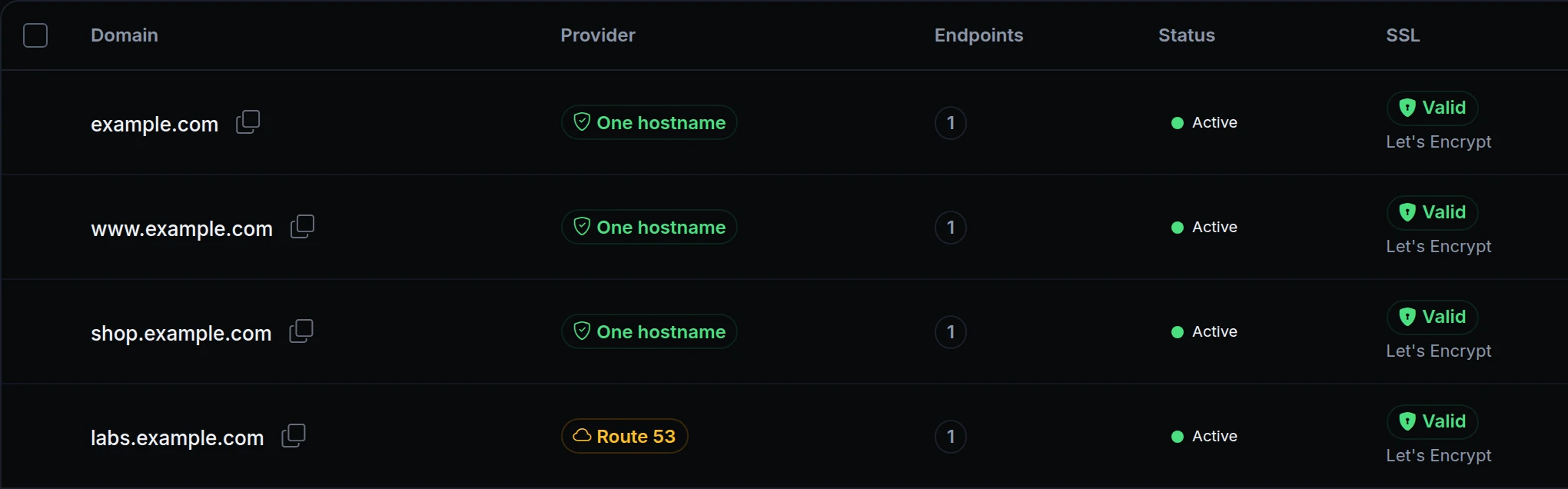
- When the domain shows Active, create an endpoint on it or use it for an app.
- Read the docs: One hostname with automatic HTTPS.