
Every push to the production branch built, even a README fix, and a queued build couldn't be stopped. A CMS had no way to ask for a rebuild, and GitHub didn't show what became of a commit.
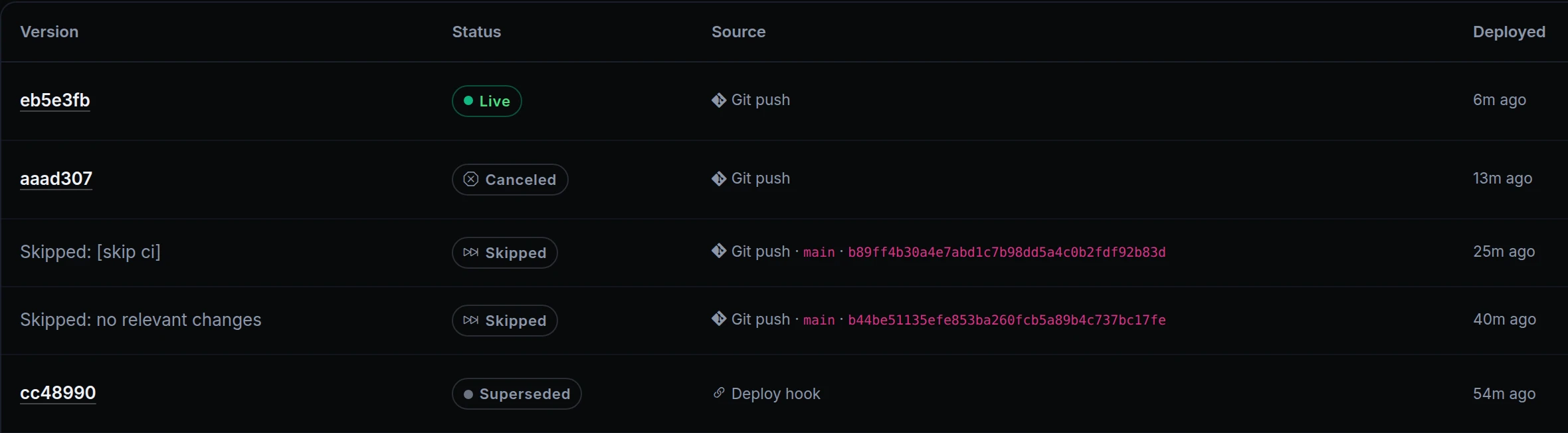
Apps that deploy from Git now have deploy hooks, Cancel build, skip rules and path filters, and they show their builds on GitHub. In the Deploys list above, Tomás canceled the build of a half-finished pricing page, and his next push went live.

What changed
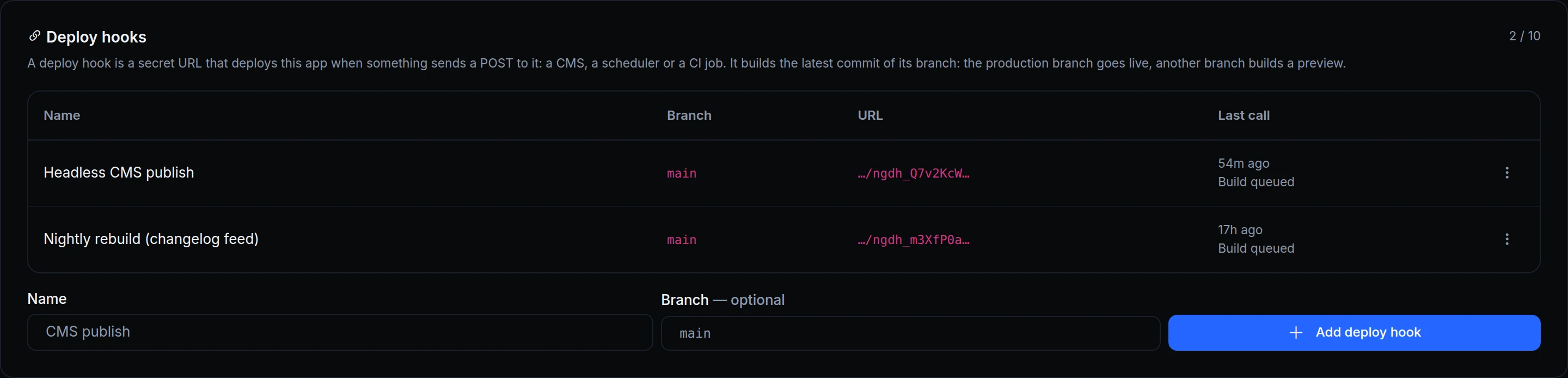
- Deploy hooks. A secret URL that deploys the app when a CMS, a scheduler or a CI job sends it a POST. It builds the latest commit of its branch: the production branch deploys to production, another branch builds a preview.
- Cancel build. In a queued or building deploy's menu. The live version doesn't change, and a newer push also replaces the queued builds of its branch.
- Skip rules.
[skip ci],[ci skip],[no ci],[skip ngris]or[ngris skip]in a push's last commit message, in any case, and the push builds nothing. - Path filters. Build only when certain files change, or ignore others. When ngris can't tell which files a push changed, it builds. Redeploy and deploy hooks always build.
- Builds on GitHub. For apps imported through the ngris GitHub App, each commit shows its build as
ngris/<app name>, from queued to deployed, failed or canceled, with a link to the deploy. An owner approves the permission once in GitHub, and you can turn it off per app.
Get started
- In the dashboard, go to Gateway → Applications, open a Git app and its Settings tab.
- In Push to deploy, fill in Build only when these change or Ignore changes to, keep Show builds on GitHub on, and click Save Git settings.
- In Deploy hooks, name the hook, click Add deploy hook and copy its URL into the service that will call it.
- To stop a build, open its menu on the Deploys tab and choose Cancel build.
- Read the docs: Deploy hooks, Cancel a deploy, Skip rules, Path filters and Builds on GitHub.