New — Iris AI drafts your firewall, routing & rate-limit rules. Explore AI features →
Changelog
AccountSecurity

API keys that are yours, and account keys for CI

Your API keys are now yours and work in all your accounts. Account keys belong to the account, act with the role you pick and keep working when people leave.

API keys that are yours, and account keys for CI

A deploy job that runs with someone's personal API key stops the day that person leaves the team. And a key you made in one account didn't help you in the others.

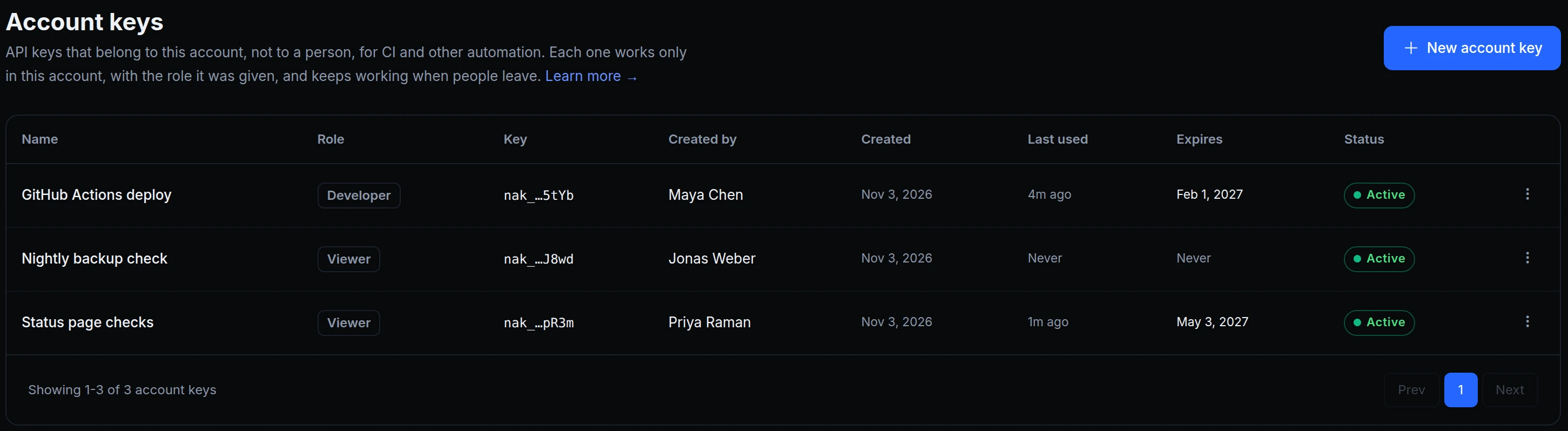
There are now two kinds of key, each with its own owner. API keys are yours: one key works in all your accounts, with your role in each, and only you can delete it. Account keys belong to the account: each one works only there, with the role it was given, and keeps working when people leave. Above is Acme Labs' list of account keys: one for GitHub Actions, one for a nightly check, one for the status page.
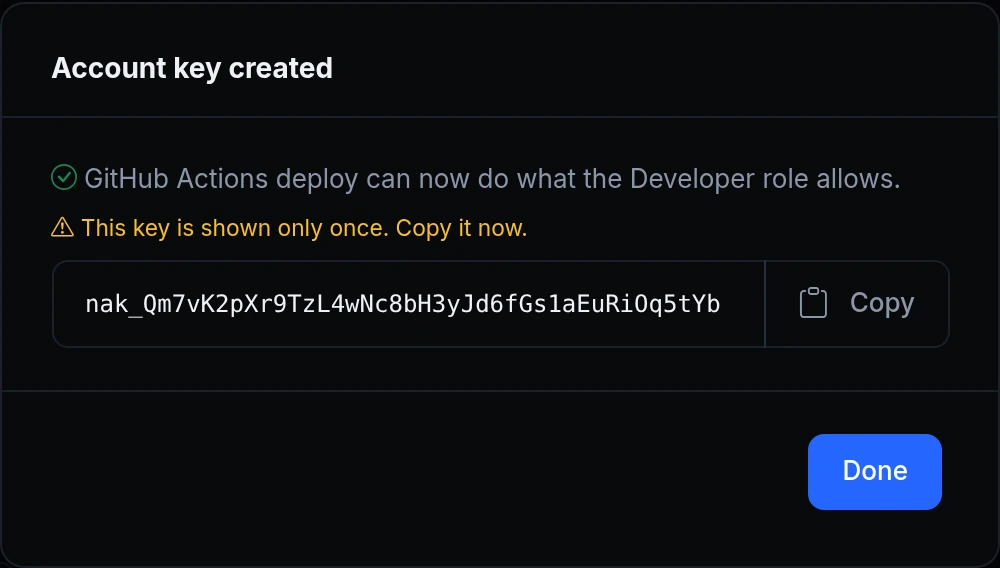

The Account key created step: GitHub Actions deploy can now do what the Developer role allows, the key, Copy, and This key is shown only once
Maya creates GitHub Actions deploy with the Developer role and the default expiry of 90 days. The key is shown once, here, with a Copy button. From then on the list shows only its last four characters.
The account's audit log: Application deploy created and Application environment variables updated, both by account key GitHub Actions deploy, created by Maya Chen
When the deploy job runs, Account → Audit Log names the key, and who created it, for every change it makes.
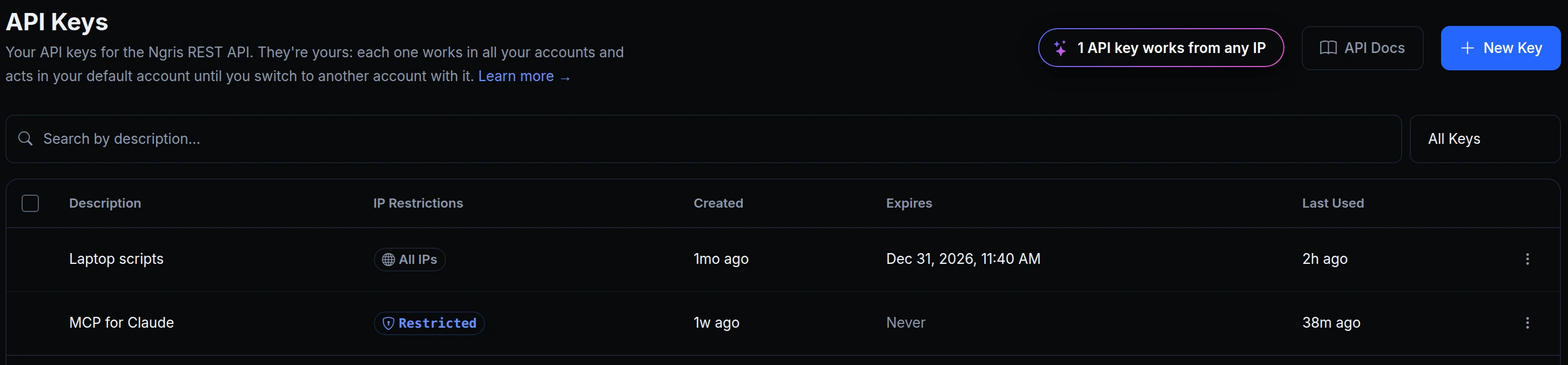
The API Keys page: Your API keys for the Ngris REST API, they're yours, with Laptop scripts and MCP for Claude
Maya's own keys stay under her user menu → API keys. Each one works in all her accounts and acts in her default account until she switches with it.

Which key to use

  • An API key (ngk_) is for you: your scripts, your laptop, your AI assistant. It acts with your role in each account, and leaving an account doesn't delete it.
  • An account key (nak_) is for CI and other automation. Pick its role, when it expires and, if you like, the IPs it may be used from. Revoke it from its ⋮ menu.
  • What an account key can't do, whatever its role: create or revoke keys, see or change billing, change members, roles or SSO, or delete the account.
  • Shown once. Copy a new key when it appears. Afterwards only its last four characters show.

Get started

  1. For CI, go to Account → Account keys and click New account key.
  2. Give it a name and a role, choose when it expires and, if you like, the IPs it may be used from. Click Create key.
  3. Copy the key into your CI's secret store and click Done.
  4. For your own scripts, open your user menu → API keys and click New Key.
  5. Read the docs: Account keys and API keys.

Read the docs

Ask an AI to summarise this page
Deploy
App hosting Edge functions Domains & certificates
Connect
Secure tunnels API gateway Multi-region edge
Protect
Bot protection & challenge WAF & firewall Edge login
Observe & AI
Monitoring Inspector & replay Iris AI MCP server AI Gateway
Developers
Developer tools Docs ngrok policy converter Blog Changelog
Compare
Ngris vs ngrok Ngris vs Cloudflare Tunnel Ngris vs Vercel Ngris vs Netlify Expose localhost guide
More
Solutions Pricing Enterprise Sign in Get Started Free