
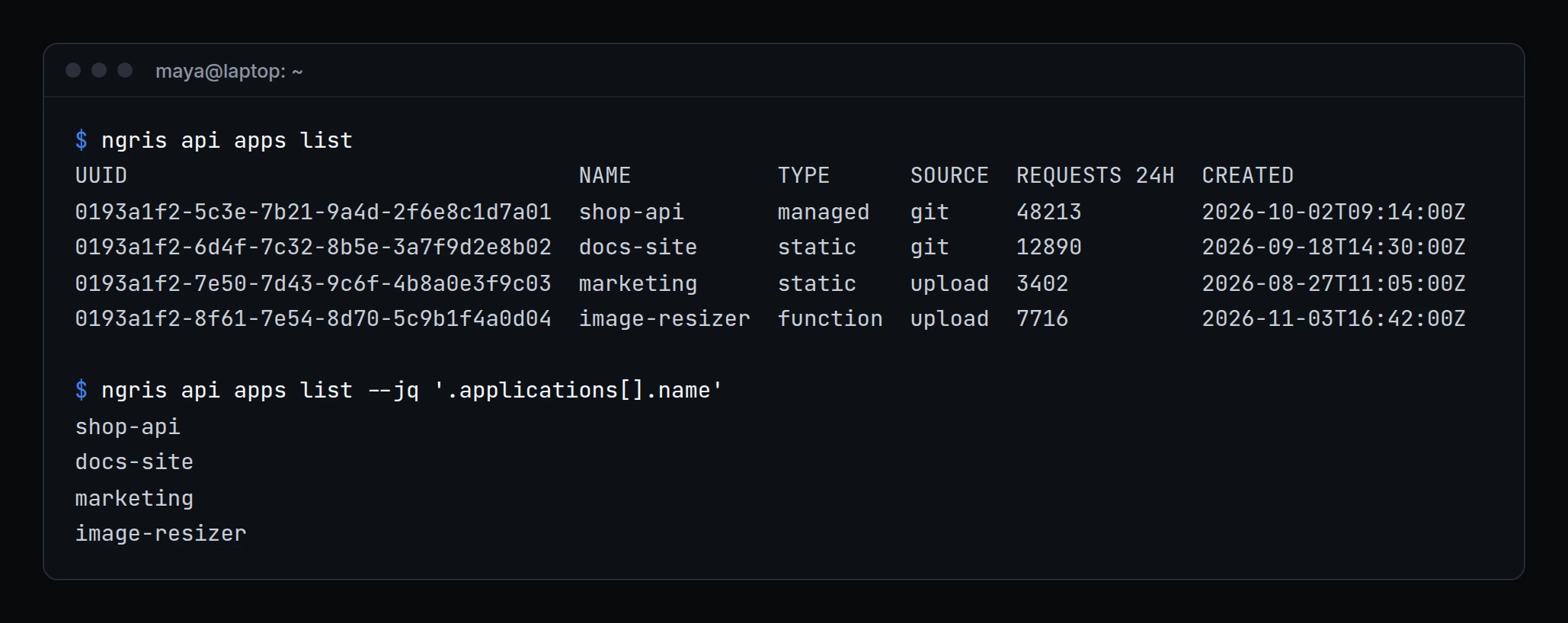
The CLI covered tunnels and deploys. For anything else, such as a database backup, an alert rule or an audit log entry, you opened the dashboard or wrote your own curl against the API.
ngris api puts the whole API in your terminal. Above, Maya lists Acme Labs' applications, then pulls just their names with --jq for a script.
What changed
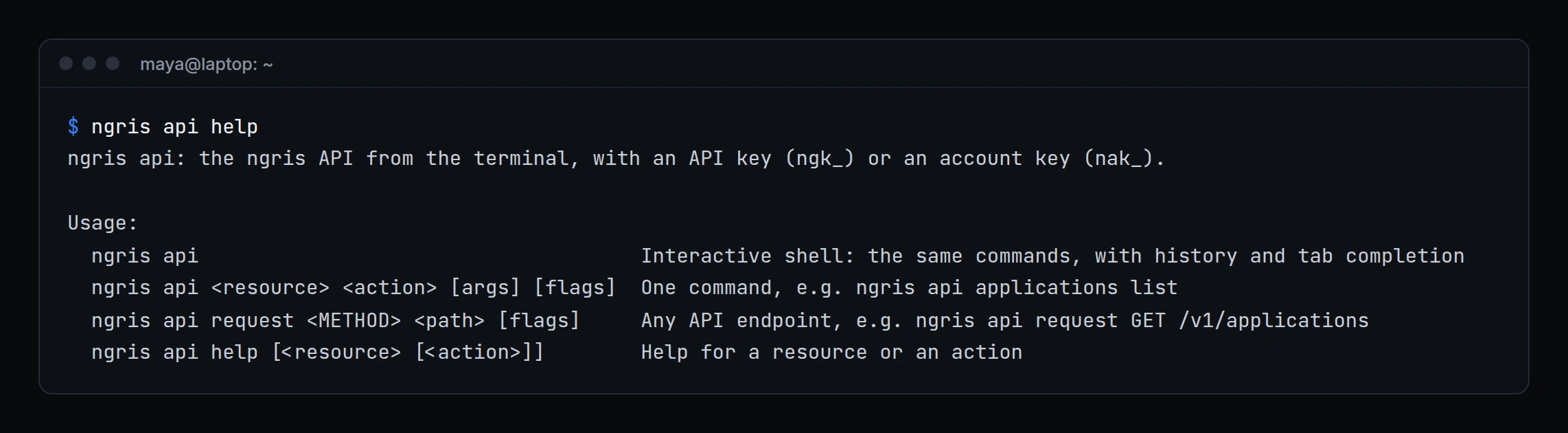
ngris api <resource> <action>, for examplengris api applications listorngris api endpoints get <uuid>. Short names work too, such asapps.- Output as a table,
--jsonfor the API's own answer,--allfor every page,--quietfor IDs only, and--jq '<filter>'to pick what you need. - An interactive shell.
ngris apion its own opens a shell with tab completion and history. Pipe commands to it in a script, one per line. - Anything else.
ngris api request <METHOD> <path>calls any API path, with a body from--data, a file or-f key=value. - Risky changes ask first. Deletes and other risky actions ask in the shell, and need
--yesin a script. Actions an account key can't use are marked in the help. - Keys stay yours. A key or token that an action creates is shown once. The CLI keeps the command list and the shell history in
~/.ngris, readable only by you, and never a key or a secret. - Always current. The list of commands comes from ngris, so new API actions appear without a CLI update.
Get started
- Update ngris to 0.5.0.
- Save your API key once with
ngris auth --api-key, or setNGRIS_API_KEY. An account key works too. - Run
ngris api help, then tryngris api apps list. - Read the docs: The ngris API from your terminal.