
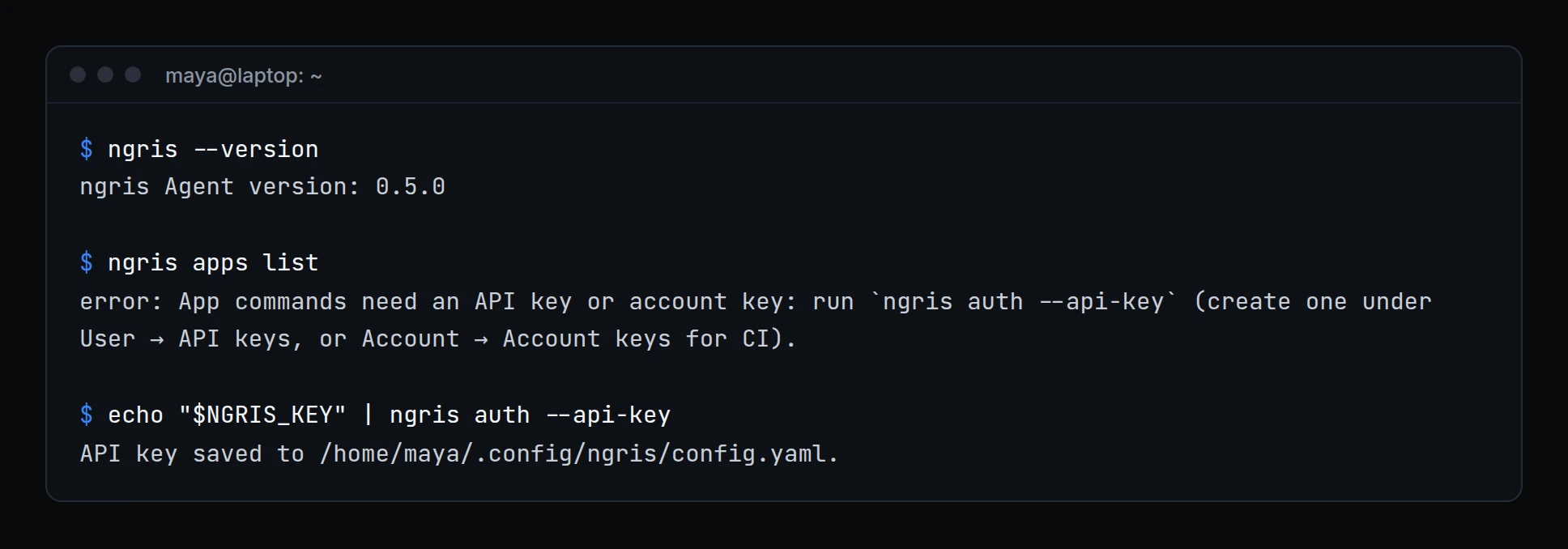
ngris 0.5.0 brings the whole ngris API to your terminal, plus deploy hooks and Git settings from the CLI, key login for tunnels, and a local page that looks like your dashboard. A few changes need a minute on each machine before you update.
Above, Maya has updated her laptop. Her tunnels log in with her auth token as before; her app commands ask for an API key once. She pipes it in, so it stays out of her shell history.
Before you update
- Update every machine that runs ngris. ngris will require version 0.5.0 for every agent, tunnels included, and older versions will stop connecting. Update each computer, server, container and CI job.
- App commands need an API key or an account key.
ngris deploy,apps,apps cron,apps hooks,env,promote,rollbackandclient-certno longer work with your auth token alone. Save a key once on each machine withngris auth --api-key: your own API key, or an account key for CI. Your auth token keeps logging in your tunnels. - CI jobs that run
ngris deploywith an auth token switch to an account key in theNGRIS_API_KEYsecret. A job that already passes an API key or account key changes nothing. - macOS 13 Ventura or later. ngris 0.5.0 doesn't run on macOS 12 or older.
- No
config.yamlfrom the folder you run ngris in. The CLI uses your personal config, or the file you pass with--config. Services and containers that keep their config in the working folder add--config <path>. --basic-authon an endpoint that asks its users for a second step is refused, and the endpoint stays closed. Add those users in the dashboard, and give scripts an access token.ngris env listprints a table. Scripts that need.envformat usengris env pull.ngris tcpandngris udprefuse client certificate and sign-in options. They work on HTTP(S) endpoints only.
Also in 0.5.0
- The whole ngris API from your terminal
- Deploy hooks, variables per environment and Git settings from the CLI
- Key login for your tunnels
- The agent's local page looks like your dashboard
- Deploys leave your secrets out
Get started
- Update ngris: run the install command from ngris.com/install again, or
brew upgrade ngris/winget upgrade Ngrisif you installed that way. The container image isghcr.io/ngris-edge/ngris:0.5.0. - Create a key: your API key under User settings → API keys, or an account key under Account → Account keys for CI.
- Run
ngris auth --api-keyonce on each machine that runs app commands, or setNGRIS_API_KEYfrom your CI's secret store. - Read the docs: Updating the agent and Account keys.