New — Iris AI drafts your firewall, routing & rate-limit rules. Explore AI features →
Changelog
Dashboard

Dashboard: search your resources, create from one grouped menu

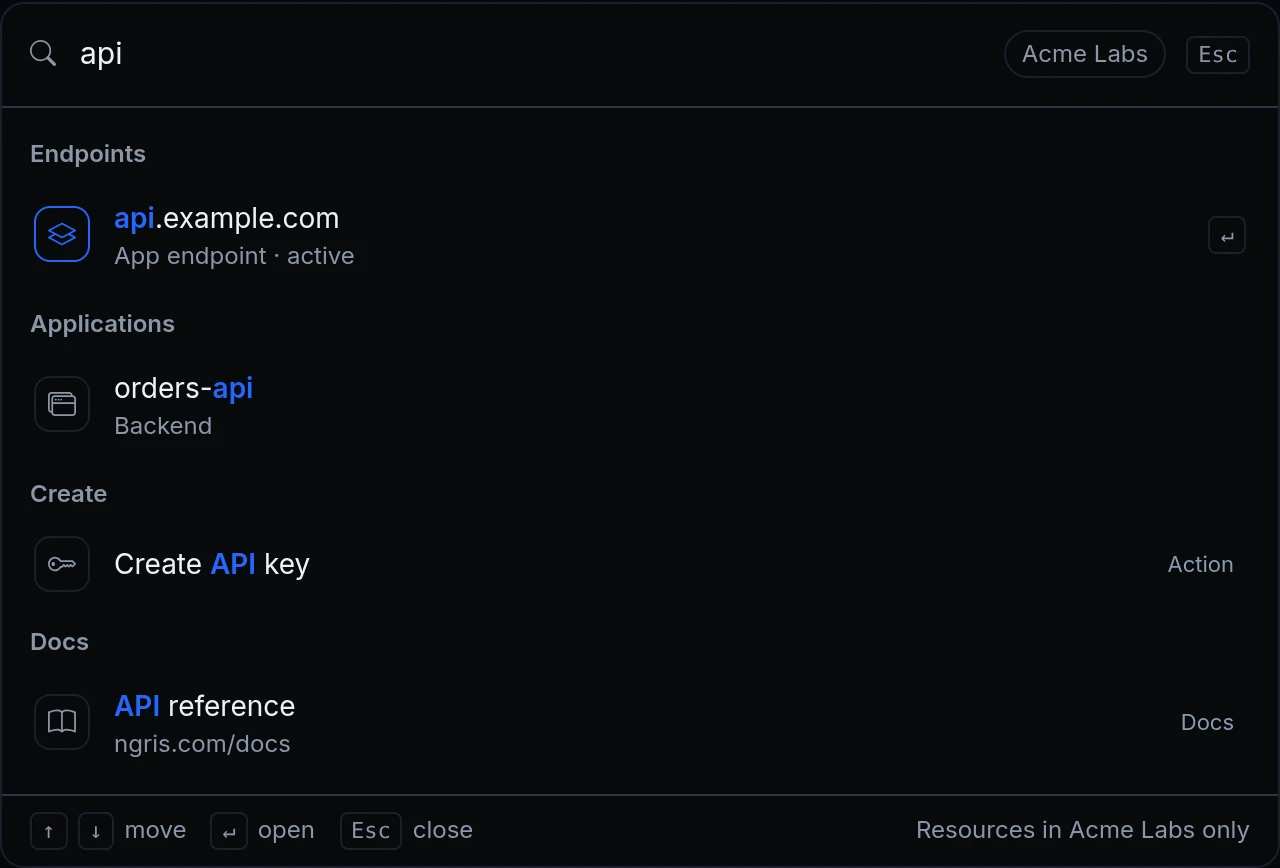
Press Ctrl K to find an endpoint, app, domain or database by name. The Create menu groups every create action, and pages show their layout while data loads.

Dashboard: search your resources, create from one grouped menu

An account with a dozen endpoints, five apps and a few databases has a lot of places to click through. To reach one database you opened Storage, then Databases, then found its row, and every create button lived on its own page.

The dashboard's top bar now has a search box and a Create menu on every page. Press Ctrl K (⌘K on a Mac) or click Search…, type part of a name, and open the result. Above, Jonas types "api" and gets the endpoint, the app behind it, the action to create an API key and the API reference.
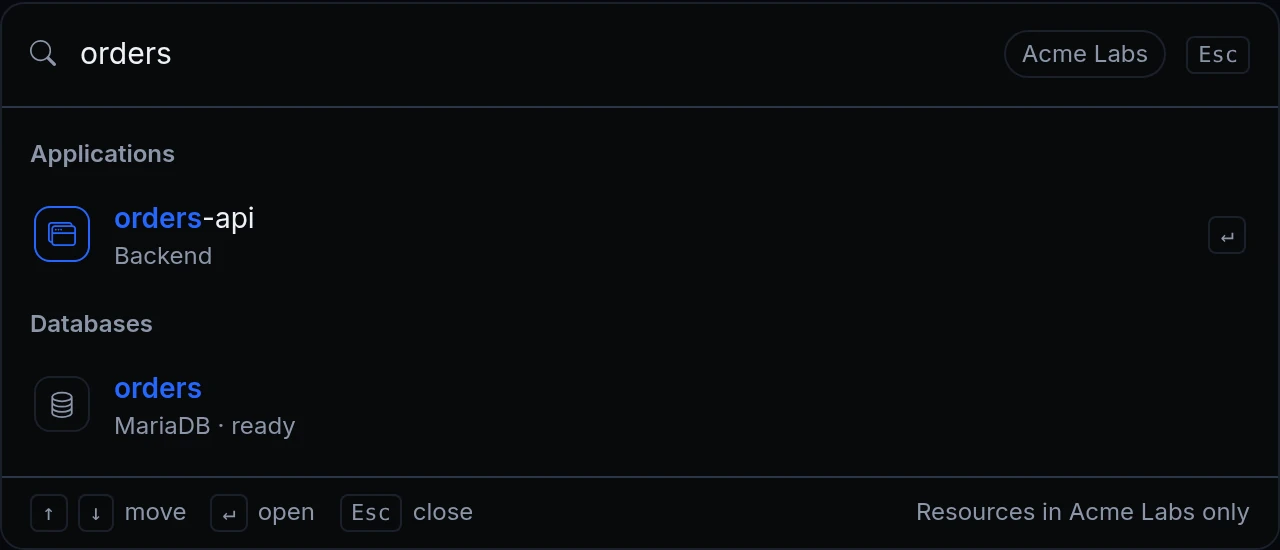
The search box with "orders" typed: the application orders-api (Backend) and the database orders (MariaDB, ready)
Jonas needs the orders database's connection details. He types orders: the database and the app that uses it, both one Enter away. Only Acme Labs' own resources come up.
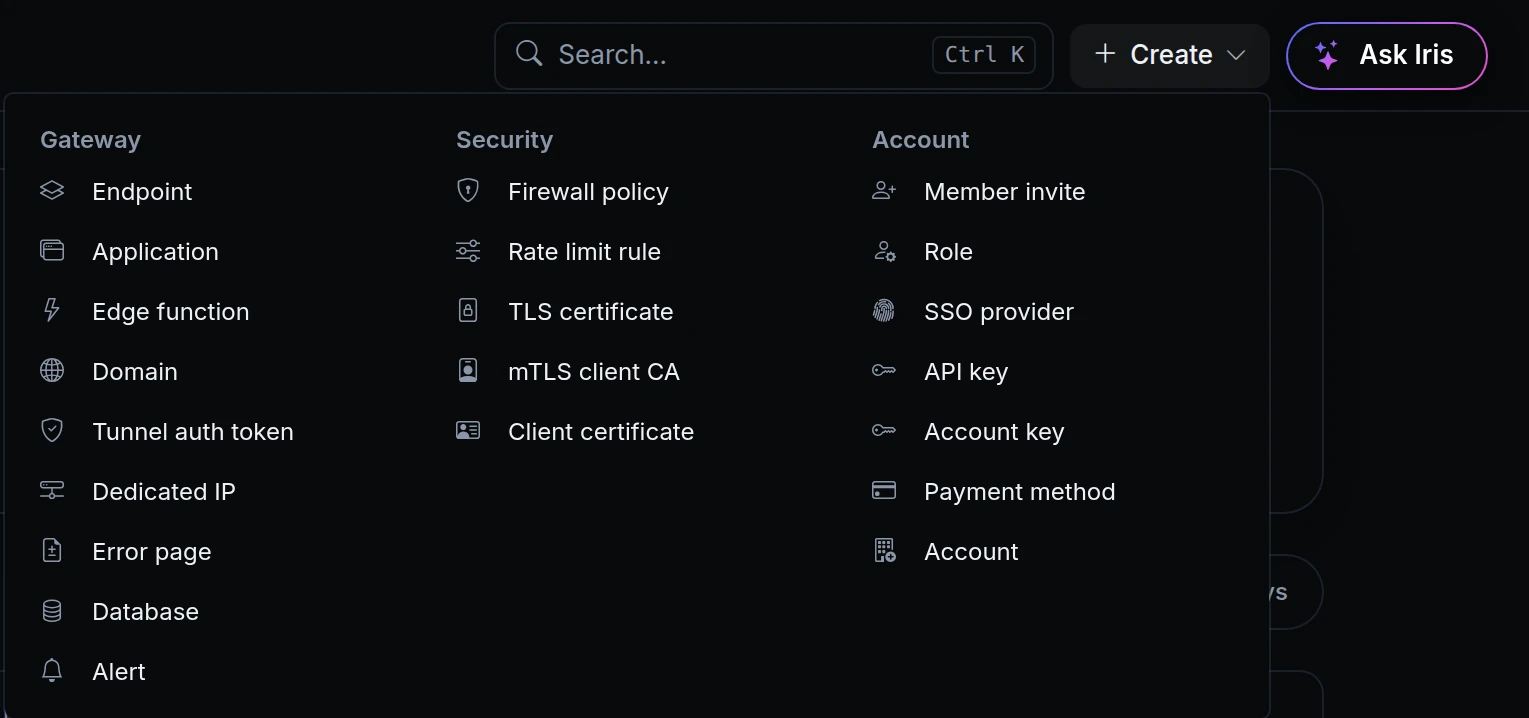
The top bar's Create menu open, with three groups: Gateway, Security and Account
Create holds every create action in three groups: Gateway, Security and Account. A new alert, a client certificate or an account key is one click from any page.
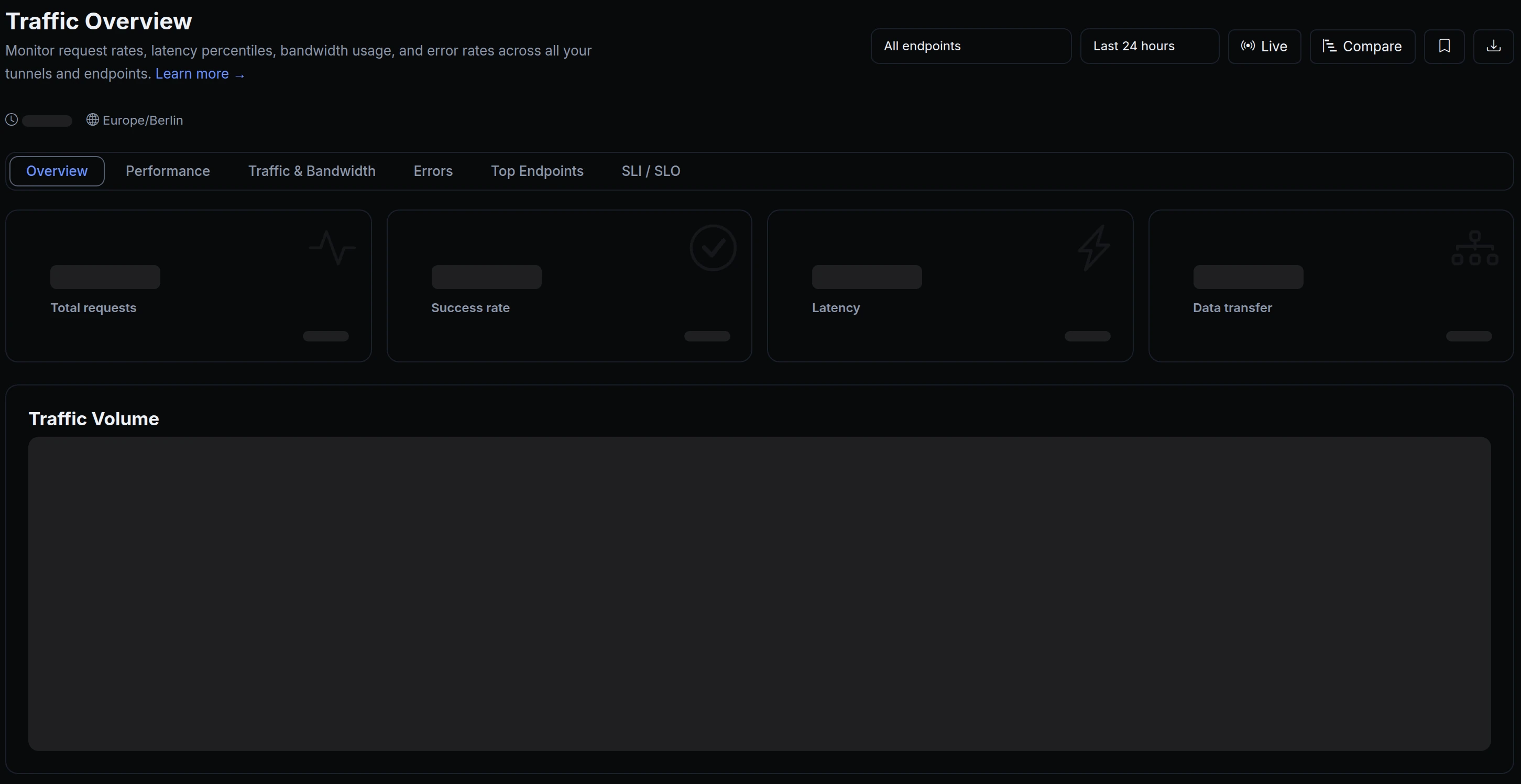
Traffic Overview while its data loads: the cards, the Traffic Volume chart and the three charts below it as placeholders
Traffic Overview while its numbers load: the cards and charts hold their places, so nothing moves when the data arrives.

What's in the top bar

  • Search. The endpoints (by hostname), applications, custom domains and databases of the account you're in, by name. Only the groups your role can read are searched, and never another account's.
  • Pages, actions and docs. The same box finds every page in the sidebar, every Create action and the main docs pages.
  • Nothing found? Search the docs for what you typed, or ask Iris, from the same box.
  • Create. Every create action in the dashboard, grouped into Gateway, Security and Account.
  • Layouts while loading. A page you open from the dashboard shows its layout while its data loads, and its tables and charts hold their places until they fill in.

Get started

  1. In the dashboard, press Ctrl K (⌘K on a Mac) or click Search… in the top bar.
  2. Type at least two letters of a name: an endpoint's hostname, an app, a domain or a database.
  3. Use the arrow keys and Enter to open a result, or Esc to close the box.
  4. To create something, click Create in the top bar and pick it under Gateway, Security or Account.
  5. Read the docs: Search the dashboard.

Read the docs

Ask an AI to summarise this page
Deploy
App hosting Edge functions Domains & certificates
Connect
Secure tunnels API gateway Multi-region edge
Protect
Bot protection & challenge WAF & firewall Edge login
Observe & AI
Monitoring Inspector & replay Iris AI MCP server AI Gateway
Developers
Developer tools Docs ngrok policy converter Blog Changelog
Compare
Ngris vs ngrok Ngris vs Cloudflare Tunnel Ngris vs Vercel Ngris vs Netlify Expose localhost guide
More
Solutions Pricing Enterprise Sign in Get Started Free