
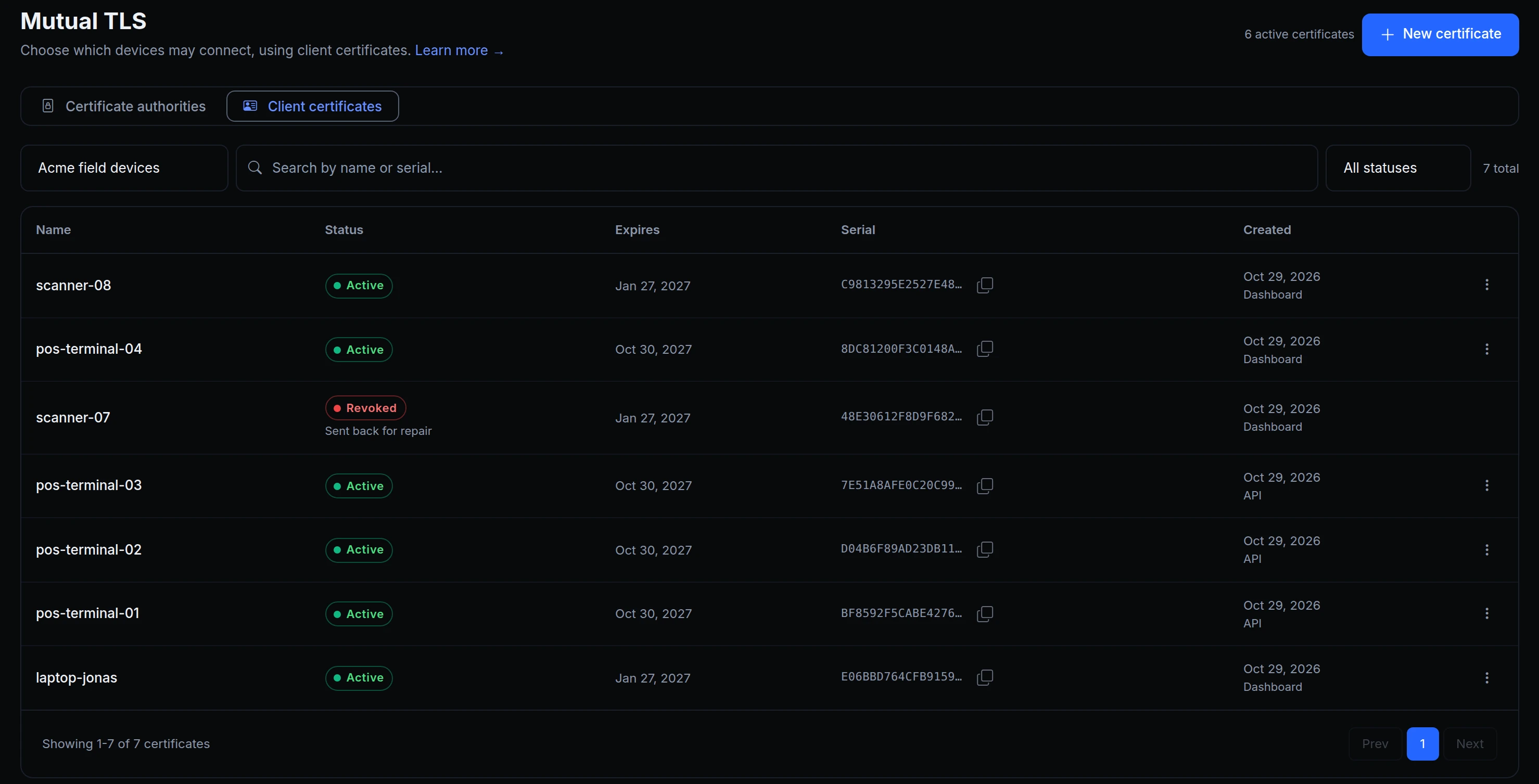
Mutual TLS keeps an endpoint closed to everything except your own devices. Until now you had to bring your own certificate authority to use it: run it, issue a certificate for every device, and keep track of the ones to revoke.
ngris can now be that certificate authority. Create one, issue a certificate for each device, and revoke one from the same list. Endpoints that trust the authority accept its certificates and refuse the revoked ones.
How it works
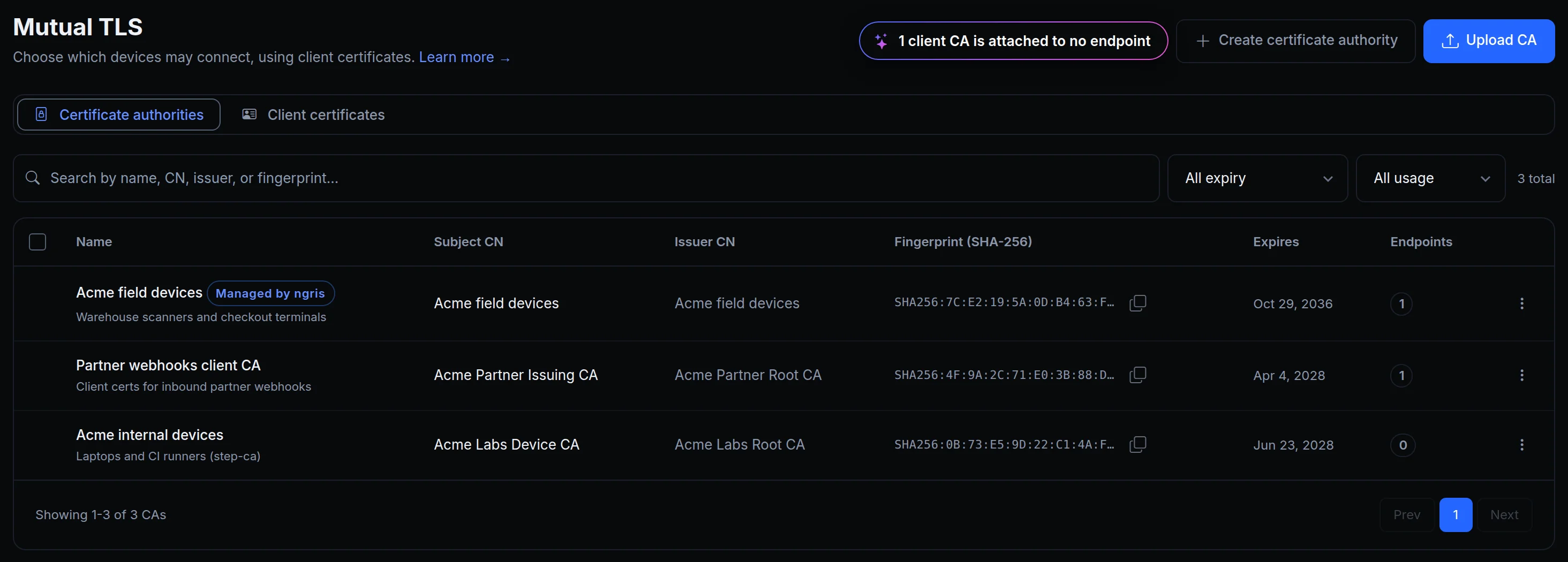
- Create certificate authority. One field: a name. You can download its certificate to trust it outside ngris too.
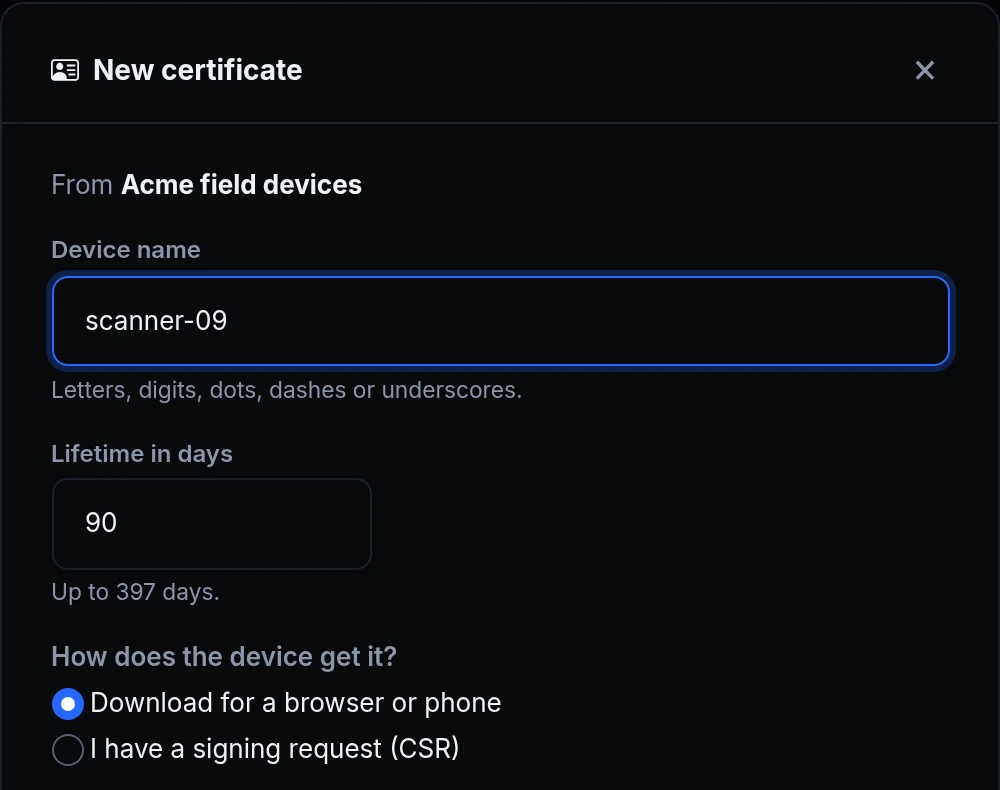
- New certificate. A device name and a lifetime of up to 397 days. Download a password-protected file for a browser or phone, or paste a signing request made on the device, so its private key never leaves it.
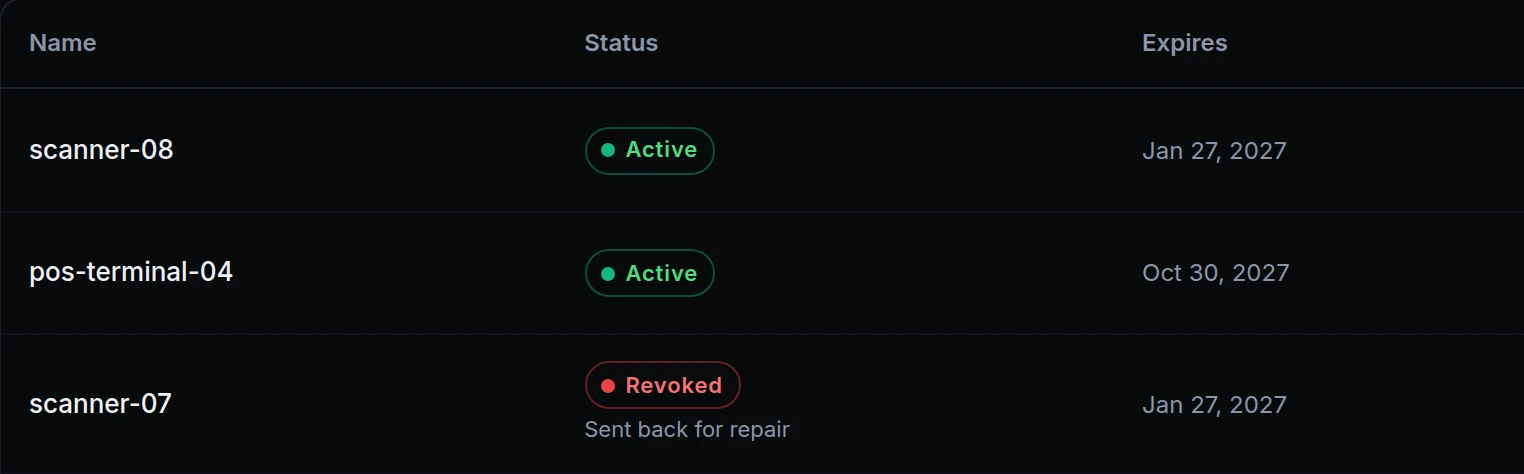
- Revoke. From the certificate's menu, with an optional reason that stays on the row. Every endpoint that trusts the authority refuses the certificate from then on.
- Your app knows the device. Each request that gets through tells your app which certificate the device presented.
- Attach it like any CA. On an endpoint's mTLS tab, add the authority to the trusted client CAs and choose Optional or Required.
From the command line
Needs ngris 0.5.0 or later.
Run request on the device itself: it makes the device's key there, sends only a signing request, and writes scanner-09.crt, scanner-09.key and ca.pem, valid for 90 days unless you pass --days. Save your API key or an account key once with ngris auth --api-key.
ngris auth --api-key

ngris client-cert request --ca "Acme field devices" --name scanner-09
ngris client-cert list --ca "Acme field devices"
ngris client-cert revoke <id> --reason "Sent back for repair"
revoke takes the id that list shows and asks before it revokes; --yes skips the question. To renew a certificate, run request again with the same name and a new --out-dir.
Get started
- In the dashboard, go to Security → mTLS and click Create certificate authority. Name it after the devices it covers.
- Open the Client certificates tab and click New certificate for each device. Download the file and give the device its password, or paste the device's signing request.
- Open the endpoint's mTLS tab, add the authority under the trusted client CAs and set the mode to Required.
- When a device is lost, retired or sent away, find its certificate on the Client certificates tab and choose Revoke.
- Read the docs: Let ngris issue the certificates and Mutual TLS.